Resume OCR: Why Scanned Resumes Fail and How to Check Yours
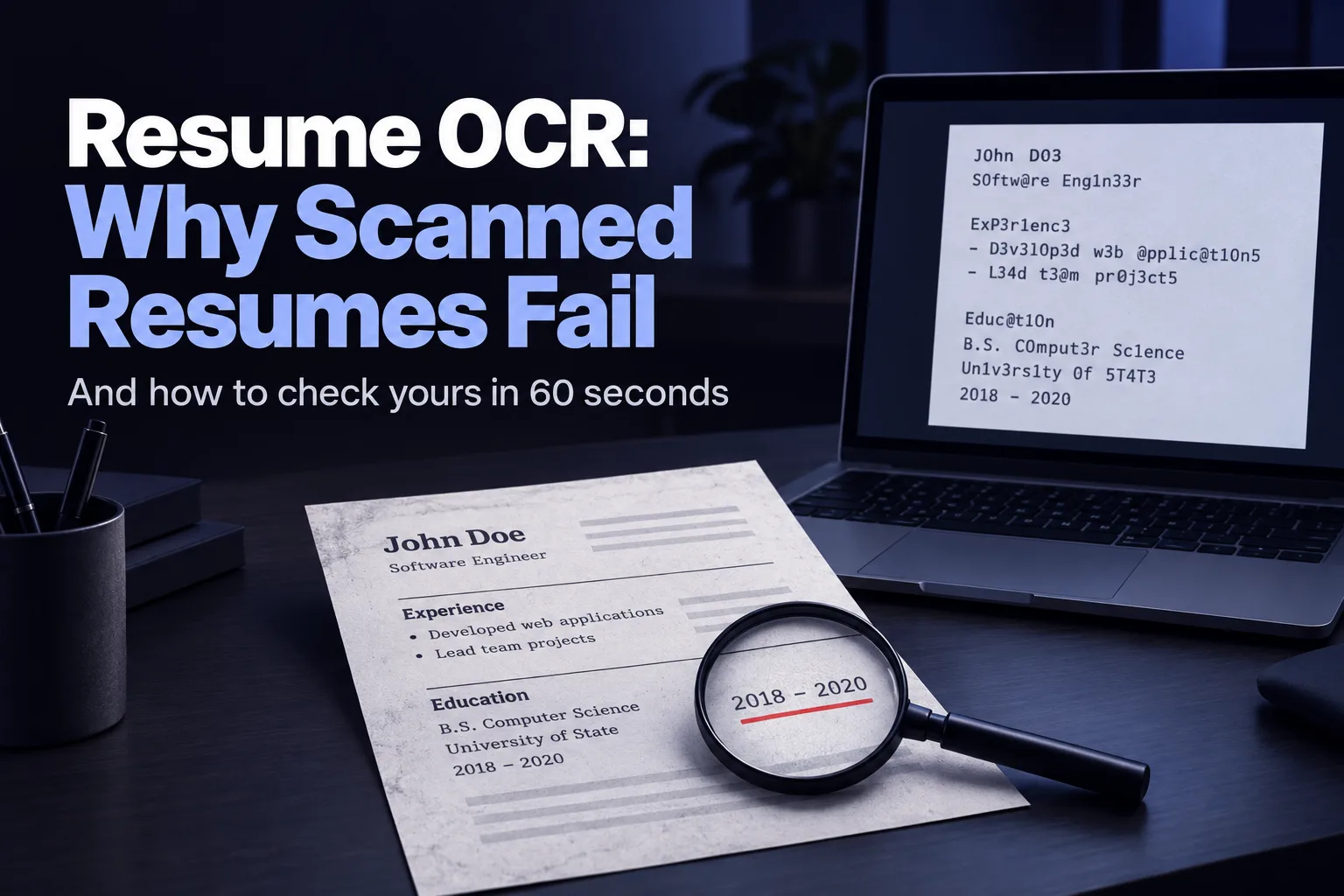
Resume OCR is how your system reads a resume that is really just a picture: optical character recognition looks at the page image and converts the shapes into text you can search, parse and score. It only kicks in when a file has no real text in it, like a scanned paper CV, a phone photo, or a PDF exported as a flat image. For those files, OCR is the difference between a candidate profile and a blank record. It is also where names, dates and job titles get garbled most often, and nobody tells you.
If you receive resumes, don't ask “do we have OCR?” Ask what happens to the file OCR can't read well. The rest of this post answers that, plus the other questions people type alongside this term.
Is OCR part of a CV? No, it’s part of how your system reads one
A CV is a document. OCR is a processing step that sits between the file and your database. Candidates never “include” OCR. They send a file, and the file is one of two kinds:
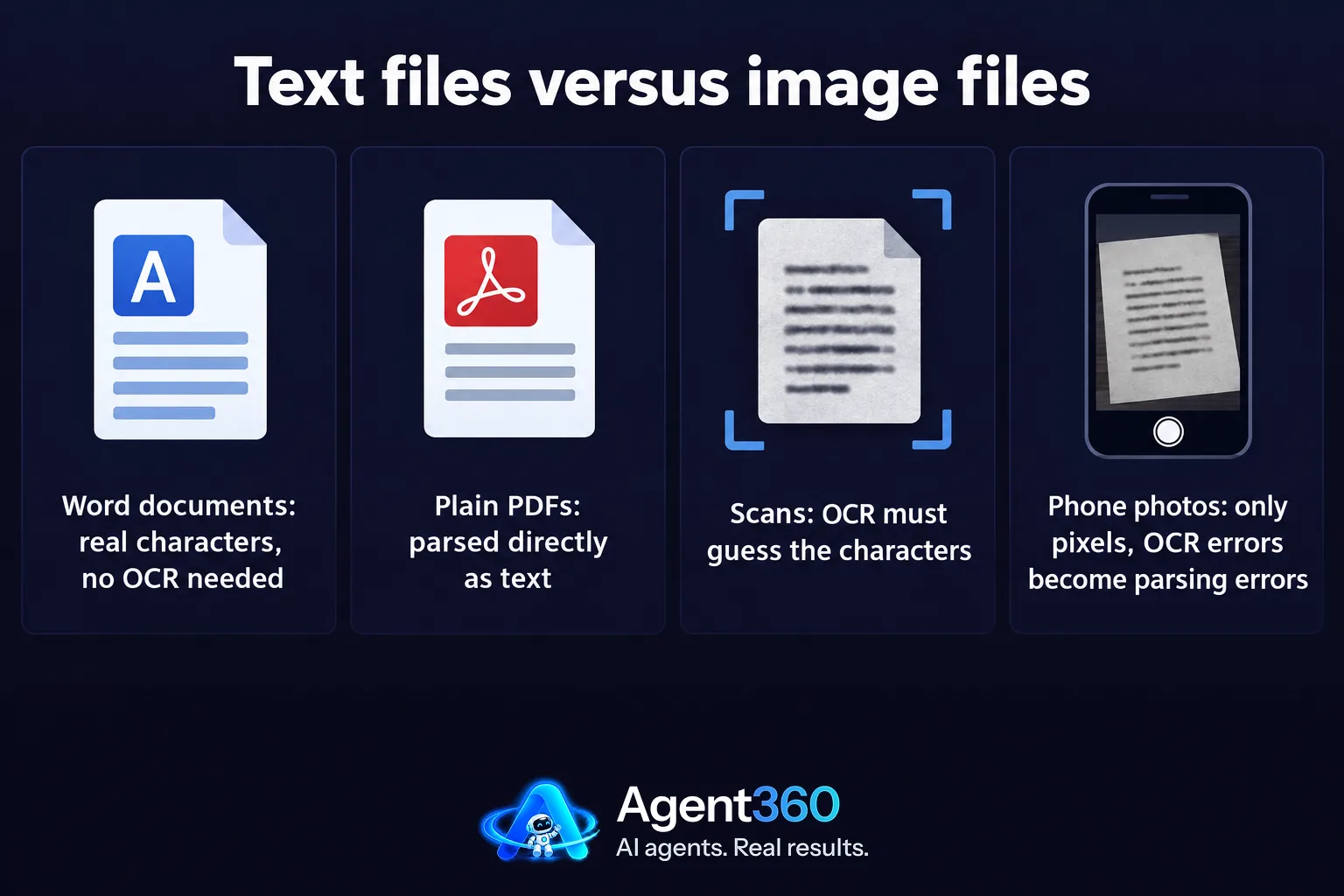
- Text-based files. Word documents and PDFs exported from a word processor carry the actual characters. A parser can read them directly. No OCR needed.
- Image-based files. Scans, phone photos, and PDFs saved as pictures (common with some design tools) contain only pixels. OCR has to guess the characters first, and then the parser works on that guess.
The order matters. Parsing happens after OCR, so an OCR error becomes a parsing error. A “0” read as an “O” in a date range, a two-column layout read straight across the page, a company name split over two lines: each one produces a profile that looks complete and isn't. Our post on what resume parsing software gets right and wrong covers the parsing half in more detail.
Test your intake with a 60-second copy-paste check
You don't need a vendor demo to find out whether your pipeline is losing candidates. Do this:
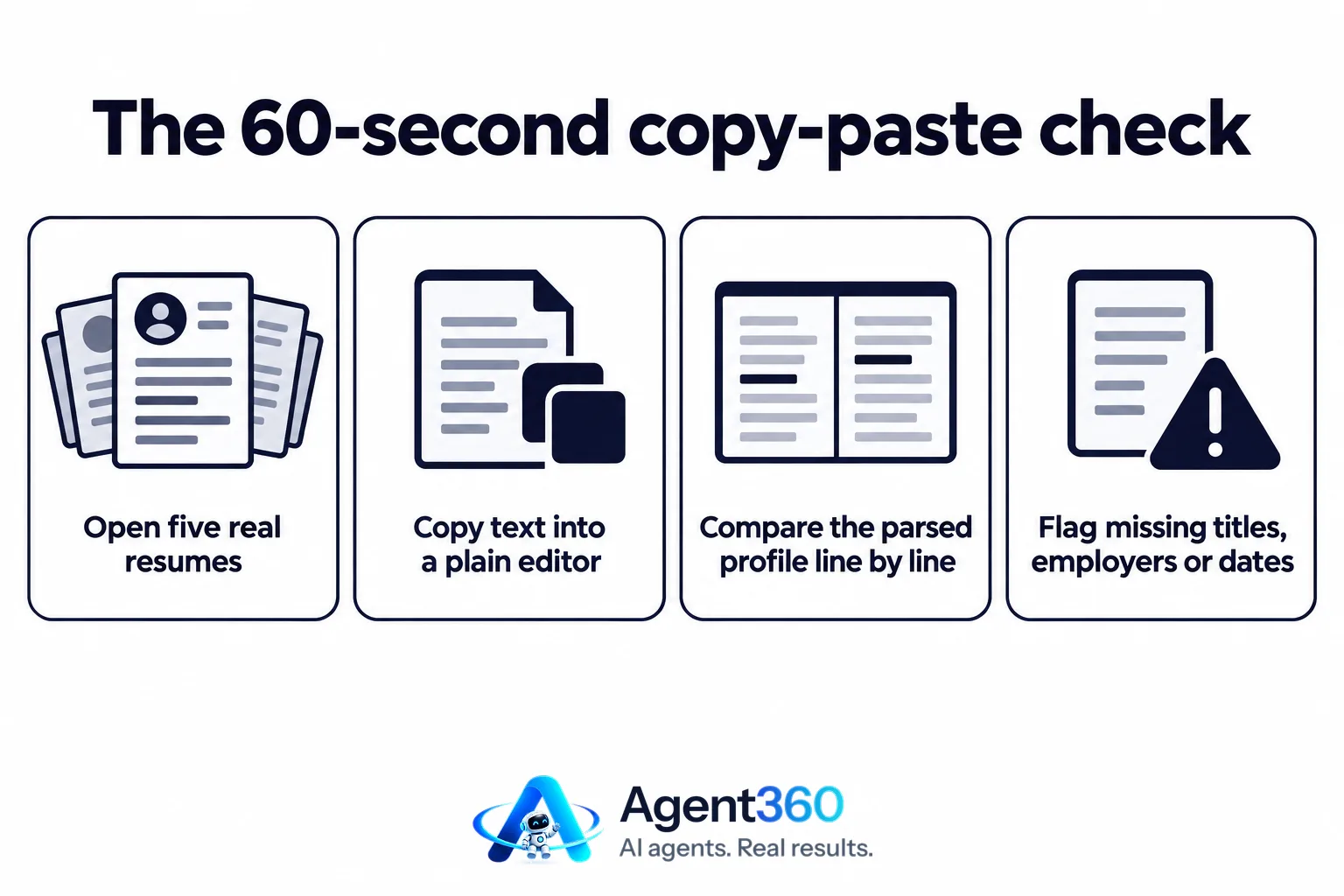
- Open five real resumes from your last role: one Word file, one plain PDF, one design-heavy PDF, one scan or phone photo, and one two-column template.
- In each, try to select and copy the text, then paste it into a plain text editor.
- Upload the same five to your intake form or ATS and compare the parsed profile with the original line by line.
Look for three things. If the text won't select, the file is image-based and OCR is doing the work. If the pasted text comes out in the wrong order, your parser will probably read it in that wrong order too. If the parsed profile has the right employers but wrong dates, you've found the classic failure: the system is confident and wrong, not empty.
Then set a rule. A reasonable one: any file that comes through with a missing title, employer or dates gets flagged for a human glance instead of scored low. A silent low score is how a good candidate vanishes for a reason that has nothing to do with their experience.
Is 77% ATS resume percent good? It depends entirely on who computed it
There's no universal passing percentage. The figure most candidates see comes from a third-party resume checker, and those tools run their own formulas, usually a mix of formatting checks and keyword overlap with a pasted job description. The number tells you how well the file fits that tool's rubric. No employer's system calculated it, and no recruiter sees “77%” unless their own software produces one.
If your system does produce a score, ask better questions:
- What does it measure? Keyword overlap, years of relevant experience, and fit against the whole job description are three very different things.
- Where is the line you act on? Pick a threshold and test it. Read ten candidates just above it and ten just below. If you'd interview the second group, your line is too high.
- Does it explain itself? A score with no reason leaves you two choices: trust it blindly or ignore it.
Candidates chasing a higher percentage often stuff keywords, which makes the resume worse for the human who reads it next. For a view on where scoring helps and where it stops, see AI resume screening scores resumes, not hires.
What is the 7 second rule in resume? A skim, not a standard
The “7 second rule” is a popular claim, often traced to eye-tracking research, that a recruiter's first look at a resume lasts a few seconds before a gut call. Treat the exact number as folklore. The part that holds up is that a first skim exists, and it lands on a few spots: the current title, the employers, the dates, and whatever sits at the top of the page.

That has two consequences, one for each side of the desk.
- Candidates should make the top third carry the case. Recent title, scope, and one concrete result beat an objective statement.
- Hiring teams should be wary of building a process on the skim. A seven-second read rewards familiar logos and tidy formatting, and punishes people with unusual layouts or imperfect OCR output. If your reviewers see a parsed profile, that profile is the resume for the skim. A garbled parse fails the candidate before a person even looks.
The fix is to hand reviewers something better than a skim: a ranking against the actual role, a one-line reason, and the gap to check. Then the human seconds go where they count.
Can employers detect AI resumes? Not reliably, and that’s the wrong thing to chase
No software can prove a resume was written with AI. AI-text detectors are known to misfire, including on text people wrote themselves, so a flag isn't evidence, and rejecting someone on a flag alone is a poor call. What you can spot is not the tool but the symptoms:
- Claims that don’t survive a follow-up. Ask for the last project's constraints, who disagreed and what changed. Invented or inflated experience falls apart in two questions.
- Description-mirroring. Bullet points that echo your job posting nearly word for word, with no specifics, point to a resume tailored by machine and never checked by the candidate.
- Hidden text. White-on-white keywords are invisible on screen but show up once text is extracted. Your copy-paste check will surface them.
Here's a more useful stance. A candidate who uses AI to write a clearer resume isn't cheating. A candidate who can't discuss what the resume says has a problem, whatever wrote it. Verify with a short conversation, not a detector. And if you're unsure of the legal footing for any automated step, read what applies when you use AI in hiring.
Where this lands in HiringAgent
HiringAgent's apply page gives each job a public link. When a candidate sends a resume, the Intake Agent reads it, fills in the profile and scores it against the role. The Match Agent gives each candidate 0 to 100, with skills, experience and location sub-scores, a one-line reason and the gap to check; 80 and above is a strong match. A person still decides who moves on. If scanned or image-only resumes matter in your pipeline, run the copy-paste test above with your own files during setup, which is done with our team. Plans start at $197 a month; see pricing.
Questions people still ask
Do I need resume OCR if candidates upload Word files or normal PDFs?
No. Word files and PDFs exported from a word processor contain real text, so a parser reads them directly. OCR only matters for scans, photos and PDFs saved as flat images. To check any file, try selecting its text. If you can't, it's image-based.
Should I reject a resume my system can’t read?
No. An unreadable file tells you about the file, not the candidate. Route it to a person, or ask for a text-based version. Rejecting it automatically filters on formatting rather than ability.
Can employers detect AI resumes?
Not with any reliable tool. AI-text detectors produce false positives, so a flag proves nothing. Ask specific follow-up questions in the first conversation instead, and see whether the candidate can explain the experience on the page.
More articles
- Candidate Sourcing VA: What to Hand Off and What to Keep
- Systems for a Recruitment Agency: Five You Actually Need
- Come trovare candidati qualificati che non cercano lavoro
- Search for Candidates Without Boolean Strings: 3 Ways
- Filter Sales Candidates by Deal Size: Proxies, Then Proof
- Steps to Find Qualified Employees Online, in Order
- A Phone Screening Agent Should Ask, Not Decide
- Pick a Talent Sourcing Tool by the Bottleneck It Removes
