What AI-Assisted Video Clip Generation Actually Looks Like

You upload one long recording, the software hands back a set of short, captioned, vertical cuts, and you spend a review session deciding which ones earn a slot on your calendar. That is AI-assisted video clip generation in practice. The AI does the cutting. You do the choosing. A tool that skips the choosing gives you volume without judgment, and the feed notices.
Here is each stage, where it goes wrong, and how the clips end up on a calendar instead of in a folder.
The tool does the cutting; you still do the choosing
Strip away the product names and every clip generator runs the same sequence:
- Transcribe. The recording becomes text with timestamps. Everything after this depends on how clean that transcript is.
- Find candidate moments. The software looks for stretches that read as a self-contained thought: a claim, a story, an answer to a question.
- Cut and reframe. Each moment is trimmed and reshaped to a vertical frame, usually keeping the speaker centred.
- Caption. Words are burned into the video, because a large share of short video gets watched without sound.
- Draft the post. Each clip needs text around it: a LinkedIn lead-in, an Instagram caption, a YouTube title.
Steps one to four are mechanical, which is why software handles them well. Step five is partly mechanical too.
Then there is a sixth step no tool should automate: deciding whether a clip is any good and whether it belongs to this week. That is the review session. It decides whether your output looks like a considered content programme or a machine emptying out a recording.
Judge every clip by its first three seconds, with the sound off
Most rejected clips fail the same test. Watch each one muted, from the start, with no memory of the full recording. Ask three questions:

- Does the first line make sense on its own? A clip that opens with “and that’s why the second option is better” has lost the first option. Reject it, or trim the start.
- Can you read the point from the captions alone? If you need the tone of voice to get it, it will die in a silent feed.
- Is there one idea, and does it finish? Clips that stop mid-sentence because the detector hit a length limit feel broken, even to viewers who cannot say why.
If you accept every clip the tool proposes, you have not reviewed anything. Expect to reject or re-trim a meaningful share of the first pass. A review that approves everything means you stopped looking, not that the tool is perfect.
Expect these five misfires every time
Know the failure modes and review gets fast. These follow from how the technology works:
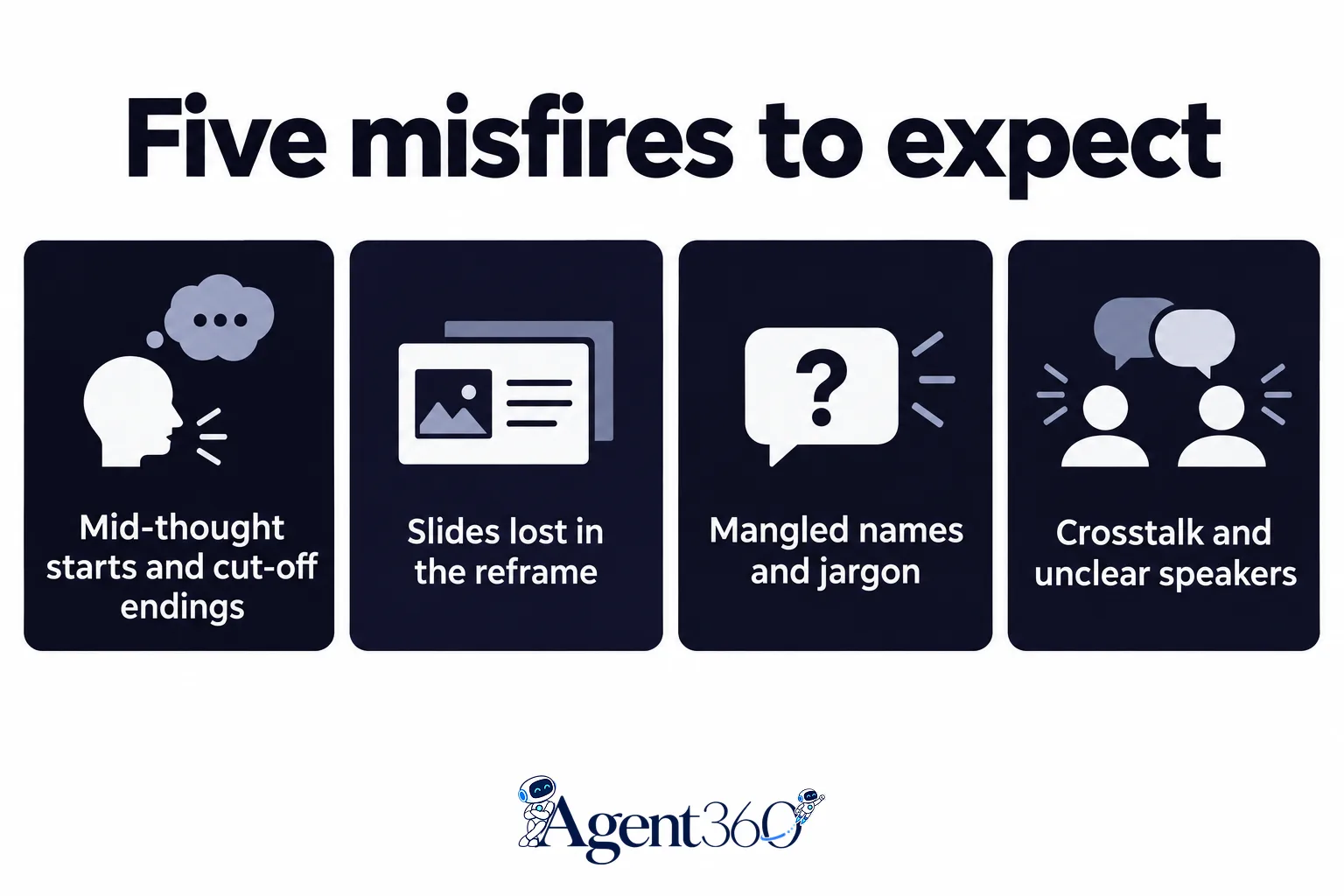
- Mid-thought starts and cut-off endings. The detector finds a topic boundary in text, but people do not always speak in clean boundaries.
- Slides lost in the reframe. If your webinar relies on a screen share, a centred vertical crop of the speaker can drop the very chart they are talking about. Clips from talking-head or interview recordings survive reframing far better than clips from slide-heavy ones.
- Mangled names and jargon. Captions come from speech recognition. Your product name, a client’s name or an industry acronym is the likeliest place for an error, and an error burned into the video cannot be fixed by editing the post text. Read every caption for proper nouns.
- Crosstalk. Panels and podcasts with interruptions produce clips where it is unclear who is speaking or what they are answering.
- Quotable but contextless lines. A punchy sentence can score well as a moment while depending entirely on the minute before it. Punchy is not the same as understood.
None of this is a reason to avoid clip generation. It is a reason to put a review step in the schedule instead of treating the output as finished.
Slot clips by content pillar, not by upload date
This is where most teams waste the whole exercise. The clips arrive in a batch, so they get posted in a batch, and a month of material is gone in a week. The calendar is what turns one recording into a month.
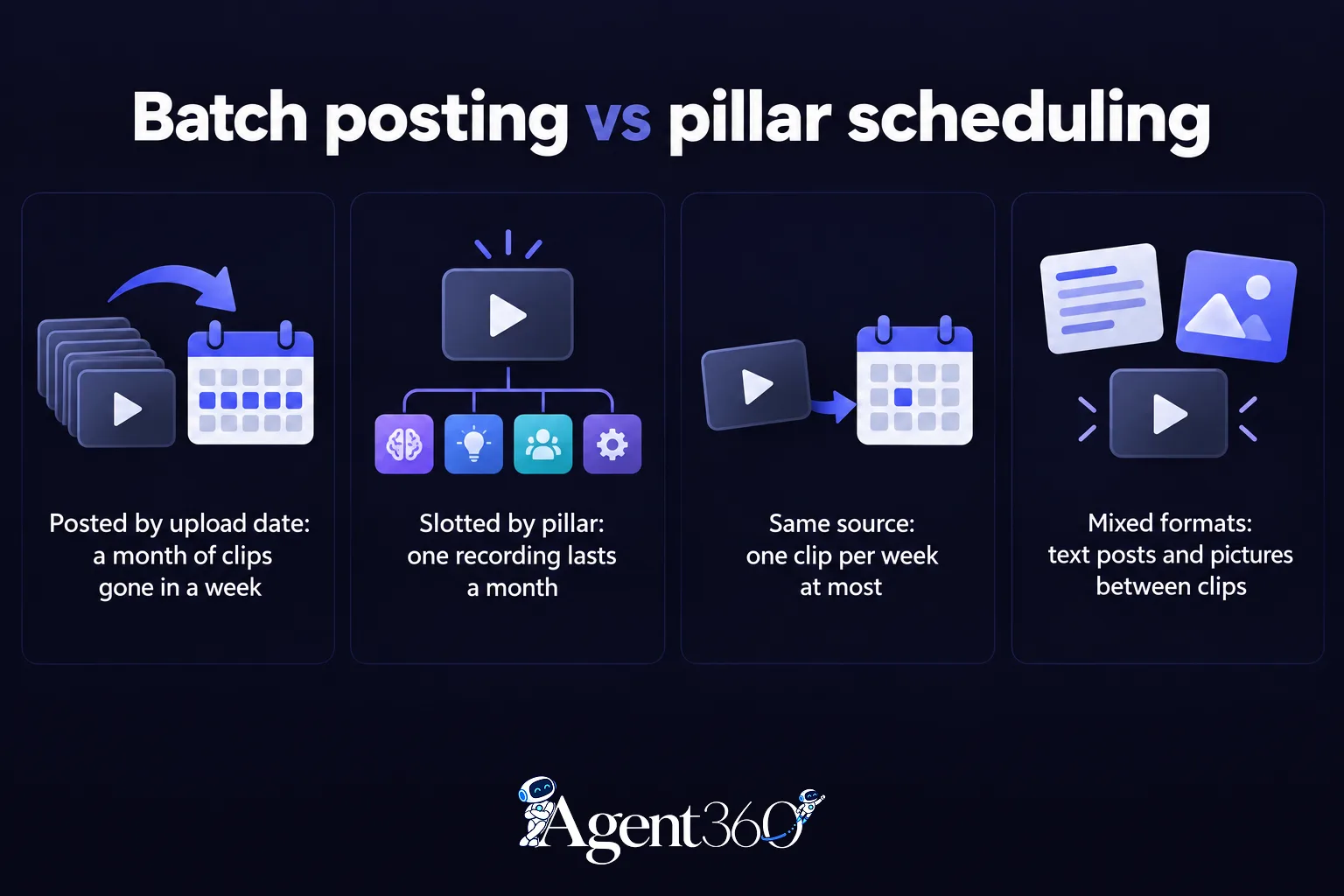
A workable approach:
- Assign each approved clip to a pillar first. If you run four pillars, as we argue in Content Pillars for Social Media: Pick 4, Not 12, each clip goes under one of them before it gets a date.
- Space clips from the same source apart. One clip from a given recording per week is a sensible ceiling for a profile that posts a few times a week. Viewers who see three cuts of the same speaker in four days stop seeing the speaker.
- Surround clips with other formats. A clip is one post type. Put text posts and pictures between them so the calendar has rhythm rather than a single repeating shape.
- Give each platform its own wrapper. The same vertical file can go to Reels and Shorts, but the caption, the first line and the call to action should be rewritten for each. A LinkedIn lead-in is not an Instagram caption.
To get a month out of a single source, see One video, a month of clips and Content Repurposing: How One Recording Becomes a Month of Posts. Both go further on mining the transcript for more than the obvious highlights.
Make approval a single sitting, not a rolling chore
Clip review drags when clips trickle in one at a time over email. It goes fast when you sit down once with the whole batch, watch each clip muted, read the captions, and approve, trim or bin it. If more than one person must sign off, agree in advance who has the final say. A Social Media Approval Workflow That Doesn't Stall covers how to stop that step eating the week.
Where BrandAgent fits
BrandAgent’s Clip Agent follows the sequence above. You upload a webinar, podcast or talk, and it cuts captioned vertical clips with a post drafted for each one. No recording? It can interview you out loud and turn each answer into a clip.
Nothing publishes until you approve it, and approved clips go onto the calendar for LinkedIn, Instagram, YouTube and X. TikTok gets the 9:16 cuts and a caption, but you post those yourself because direct posting is not switched on yet. It does not make carousels, polls or Stories. Clip allowances rise with the plan, from 10 a month on Starter; see pricing for the rest.
Questions people ask next
How long does a recording need to be to generate useful clips?
There is no fixed minimum, but the source needs several distinct, finished thoughts. A 45-minute webinar with a few clear answers usually holds more clips than a team will publish in a month. A tightly scripted five-minute video holds few, because there is little to separate.
Can AI clip generation replace a video editor?
For talking-head, interview and podcast material, it can take over the repetitive work of trimming, reframing and captioning. It does not replace judgment about which moments to use, and it will not rescue a recording with poor audio or heavy slide dependence. Editors still earn their fee on branded, produced pieces.
How many clips should go on a content calendar each week?
Enough to be part of the mix, not the whole mix. One clip a week per source recording is a safe starting point, alongside text posts and pictures. Raise it only if clips are beating your other formats in your own analytics, not because the tool can produce more.
More articles
- Customer Testimonial Posts for LinkedIn That Prove Something
- Run a Social Media Content Audit in 90 Minutes
- Before You Buy a Social Media Calendar Tool for Your Team
- Get Executives Posting on LinkedIn Without Asking Them to Write
- Managing Social Media for Multiple Clients Without Chaos
- How Startups Should Pick an Instagram Scheduling Tool
- LinkedIn Personal Profile vs Company Page: Post From the Person
- How to Schedule Posts for a Retail Sales Event
