How Startups Should Pick an Instagram Scheduling Tool
Pick the scheduler that fixes your real bottleneck. Among good social media scheduling tools to plan Instagram posts for startups, that is the one worth buying, and for most startups the bottleneck isn’t scheduling at all. It’s having finished posts to schedule. If captions, images and Reels already sit in a folder, almost any scheduler will do, and a free one is probably enough. If they don’t, a scheduler hands you an empty calendar with a nicer interface. Work out which situation you’re in before you compare a single feature list.
What is the best tool for scheduling Instagram posts?
No single tool wins. But each of three startup situations has a best fit. Work out which one is yours:
- You have the content, you lack the clicks. Posts get made in bursts, then forgotten. You need a plain scheduler with a visual calendar. Start with the free scheduling built into Meta’s own tools, and move only when you hit a real limit, such as needing LinkedIn or X in the same calendar.
- You have the content, but three people need to sign off. You need approval steps and comments on drafts, not more features. A tool where a post can’t publish until someone approves it matters more than analytics. Our piece on an approval workflow that doesn’t stall covers how to set that up without adding a week to every post.
- You do not have the content. Nobody on the team has time to write captions, make images and cut video. A scheduler can’t help with that. You need something that produces the posts: an agency, a freelancer, or an AI tool that drafts and designs them.
Most startups sit in the third group and shop as though they were in the first. That’s why so many pay for a scheduler and still post twice a month.
What are the top 5 social media schedulers?
Product names, plans and limits change often. We won’t state a platform’s limits as fact, because they’re rarely published and move without notice. So instead of a ranked list that goes stale within a quarter, here are the five types that exist. Your shortlist should include one from the type that fits your situation.
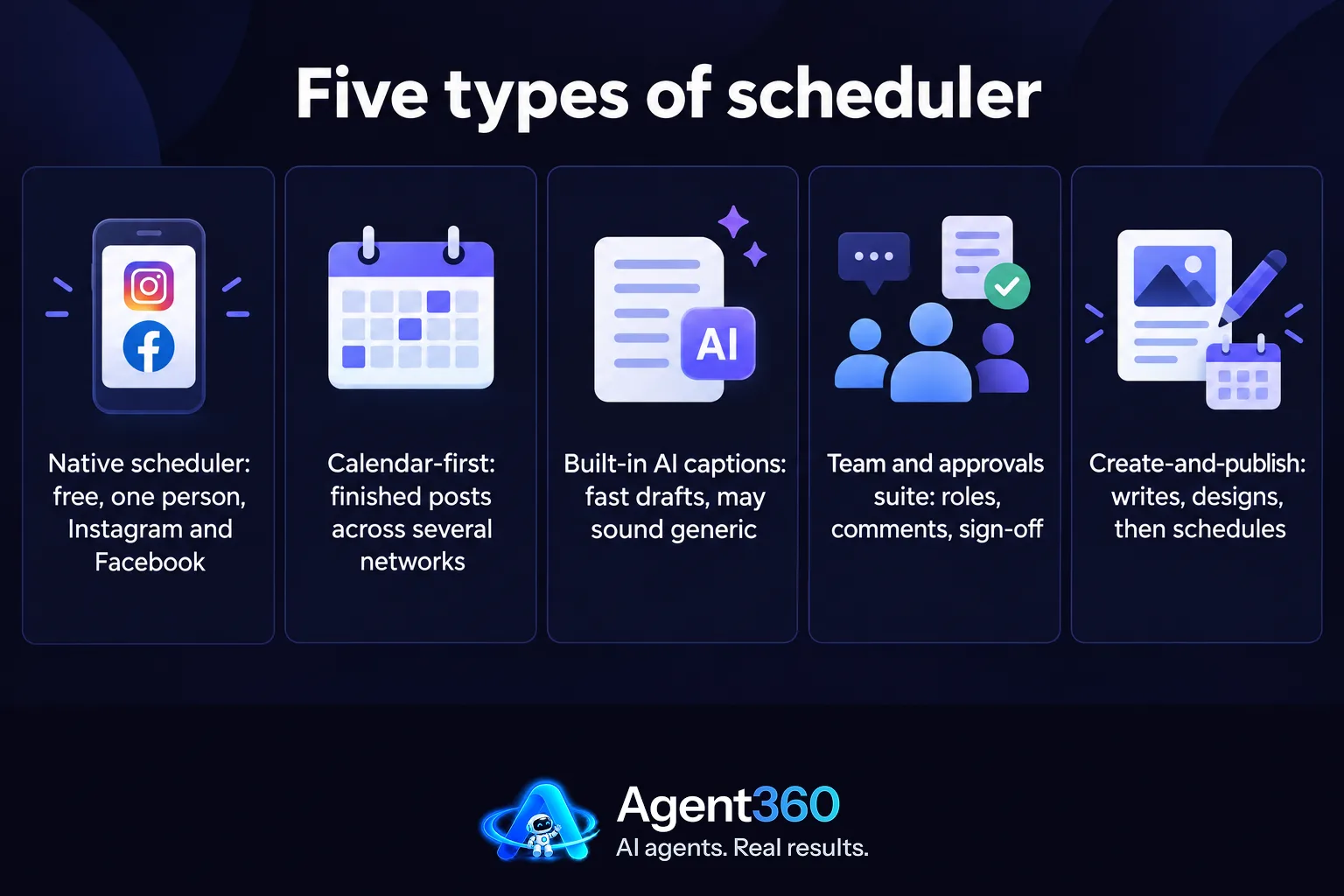
- The native scheduler. Meta’s own tools let you queue Instagram posts at no charge. Best for one person posting only to Instagram and Facebook. Weak once you add other networks or need a team workflow.
- The calendar-first multi-network scheduler. You upload finished posts and drag them around a calendar across several networks. Best when the content already exists and you want one view of it.
- The scheduler with built-in AI captions. It drafts text from a prompt. Handy for speed, but check whether it knows your voice or just writes generic copy. We cover that gap in why an AI Instagram post generator is not a content strategy.
- The team and approvals suite. Roles, comment threads and sign-off stages. Best once more than two people touch a post. Too much for a founder and one marketer.
- The create-and-publish system. It writes the posts, draws the pictures, cuts the video, then schedules them. Best when content supply is your problem. Our comparison of BrandAgent against scheduling tools lays out that difference.
Want more questions to put to any vendor? Use the scheduling tool checklist small businesses skip.
How can I bulk schedule Instagram posts?
Bulk scheduling means preparing a batch of finished posts and loading them in one sitting. The tool matters less than the prep. Do it in this order:
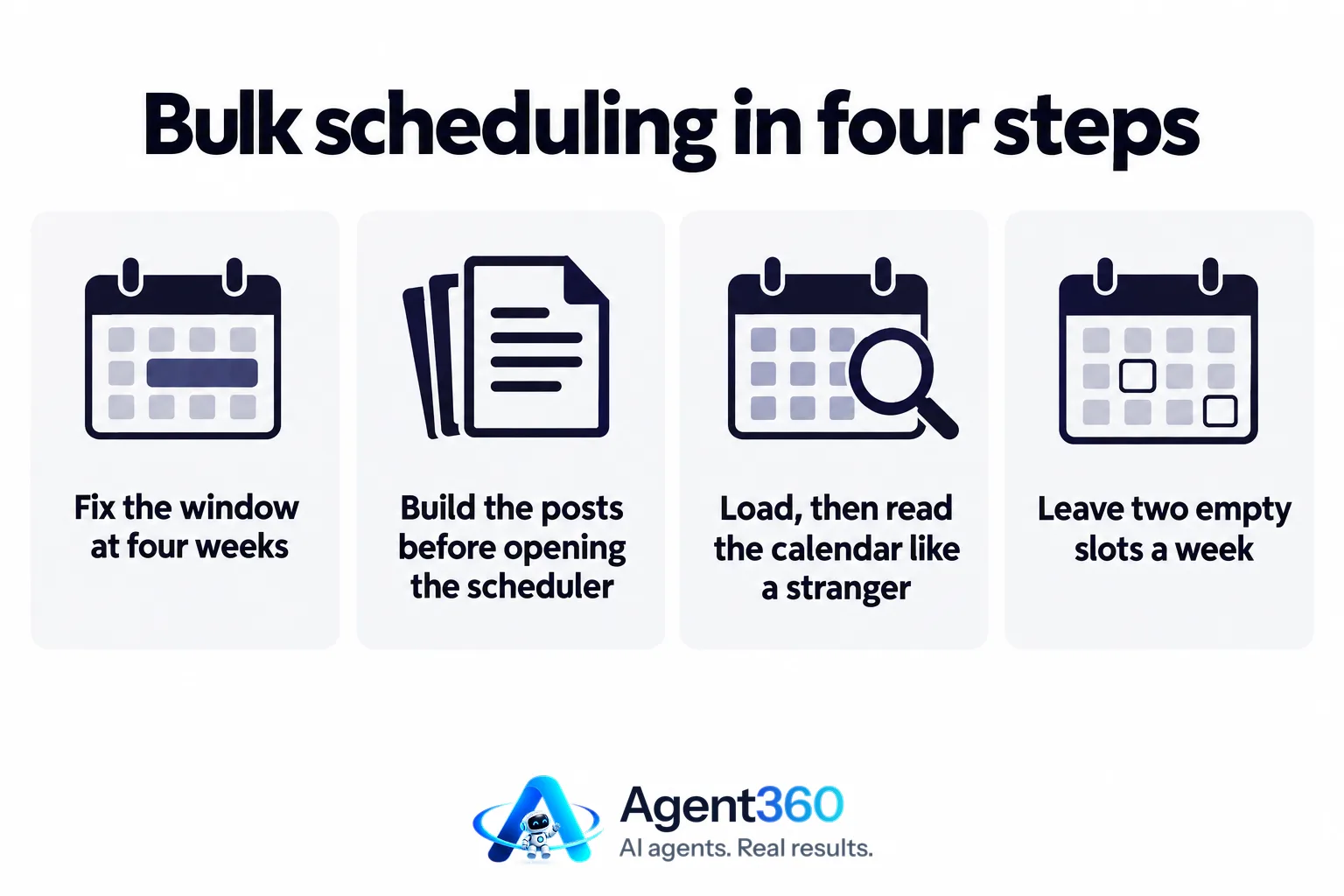
- Fix the window at four weeks. A startup’s message, pricing and product change fast. A queue longer than a month tends to publish things that are already out of date. We disagree with the advice to schedule a quarter ahead, unless your business barely changes.
- Build the posts before you open the scheduler. Each needs a caption, an image or video at the right shape (4:5 for feed pictures, 9:16 for Reels), and a date. A spreadsheet with those columns is enough.
- Assign the four content pillars first, then fill dates. Don’t know your mix yet? Pick four pillars and ratio them before you load anything. Otherwise bulk scheduling just means four weeks of whatever was easiest to make.
- Load, then read the calendar like a stranger. Look for three posts in a row that pitch the product, or the same image style five times. Fix the sequence before it goes live.
- Leave two empty slots a week. Fill them with timely things: a launch, a reply to a customer, news. A fully locked calendar is how brands end up posting a cheerful promo on a bad news day.
If the batching itself eats your time, how to batch content creation without losing a day goes through the production side.
What are some good tools for scheduling social media posts for businesses?
Judge any tool on five things a startup actually feels, and ignore the rest of the feature page:

- Does it publish directly, or only remind you? Some tools send a notification and you post by hand. That’s a reminder app, not a scheduler.
- How does it connect? Use tools that connect through the platform’s own sign-in. Never hand over a password.
- What happens when a post fails? Tokens expire and files get rejected. A good tool tells you why and lets you retry in one click. A bad one fails silently, and you find out on Friday.
- Does it show your Reels and 4:5 pictures correctly? Preview before you commit. A crop that cuts off your logo is a common failure.
- Can you leave? Prefer month-to-month plans while you’re still working out your cadence. Annual discounts are worth it only after you’ve kept the same cadence for a couple of months.
Skip for now: social listening, competitor dashboards, link-in-bio pages, and unlimited seats. They sell well and a team of three rarely touches them.
Where BrandAgent fits, and where it does not
If your problem is a shortage of posts, BrandAgent is built for it. It learns your voice, colours and logo from your website, writes a version of each post for each platform, draws the picture, makes short videos and clips, and publishes on the minute you choose through its calendar. You approve every post, and nothing publishes without that. For Instagram it publishes to Business or Creator accounts, with a 4:5 picture for the feed and Reels from your videos.
Know the limits. It doesn’t make carousels, polls or Stories today, and TikTok posting isn’t switched on yet. There’s no free trial; you start with a 15-minute call. Plans begin at $97 a month with no contract, and the pricing page shows what each tier includes. If you already produce plenty of content yourself, a plain scheduler costs less and is the better buy.
Questions startups still ask
Is a free scheduler enough for a startup?
Yes, if you only post to Instagram, you already have the content, and one person approves it. Pay when you hit a specific wall: a second network, a team sign-off step, or a need for the tool to produce the content itself. Pay earlier and you’re buying features you won’t use.
How far ahead should a startup schedule Instagram posts?
About four weeks. That’s long enough to cover a busy fortnight, and short enough that your messaging, pricing and product details are unlikely to go stale. Keep a couple of open slots each week for anything timely.
Why does my scheduler not fix my inconsistent posting?
Because inconsistency usually comes from a lack of finished posts, not a lack of a calendar. A scheduler moves posts from ready to published. If nothing ever reaches ready, the calendar stays empty. Sort out production first, whether that means batching, outsourcing or an AI tool that makes the posts, and only then pick a scheduler.
More articles
- Managing Social Media for Multiple Clients Without Chaos
- LinkedIn Personal Profile vs Company Page: Post From the Person
- How to Schedule Posts for a Retail Sales Event
- Content Pillars for Instagram: Pick Four and Ratio Them
- The Social Media Scheduler Test Most Businesses Skip
- Generating Instagram Posts With AI: What Actually Works
- AI Social Media Posts: What Actually Works
- AI Social Media Content Generator for Instagram, Explained
