Unlimited Seats Sales Software: What to Buy and Why

Unlimited seats sales software is a pricing model that lets every person on your team use the platform for one flat fee, instead of charging per login. No per-user add-ons, no fee every time you promote an SDR to a closer or bring on a recruiter to help with outreach.
Most sales tools still price by seat. That works fine when a team is small and static. It stops working the moment a founder wants a part-time assistant in the CRM, or a staffing agency wants every recruiter checking the pipeline without a finance conversation first.
This article covers what unlimited seats actually means in practice, why per-seat pricing costs more than the sticker price suggests, and what to check before you commit to a platform.
Key Takeaways
- Unlimited seats means every teammate can log in and work the pipeline without triggering a new charge.
- Per-seat pricing often costs more as a team grows, because adding people becomes a budget decision instead of an operational one.
- Check whether “unlimited seats” also means unlimited leads, sending volume, and phone minutes, since some vendors cap those separately.
- Compare total cost at your actual headcount, not the advertised starting price, before you switch tools — see how pricing is structured across plans.
- Staffing and recruiting teams benefit most, since business development and recruiting often share the same CRM and outreach tools.
Table of Contents
What does “unlimited seats” mean in sales software?
It means the subscription price covers every user your company adds, with no per-login fee. A five-person sales team and a fifteen-person sales team pay the same platform fee under a true unlimited-seats model, as long as usage (leads, emails, calls) stays within the plan.
Does unlimited seats mean unlimited everything?
No. Seats and usage are usually priced separately. A platform can offer unlimited seats while still capping the number of leads included, emails sent per month, or dialer minutes. Read the plan details for what counts as usage versus what counts as a seat before assuming the whole stack is uncapped.
Who benefits most from unlimited seats?
Teams where headcount changes often benefit most: founders who rotate in a contractor for a quarter, staffing agencies where recruiters double as business developers, and sales teams that bring in temporary reps during a hiring push. Any team where “just add another person” shouldn’t require a new invoice.
Why does per-seat pricing cost more than it looks like?
Per-seat pricing compounds as a team grows, and it discourages the exact collaboration that makes outbound work. A tool that looks cheap at three seats can get expensive fast once a company doubles headcount, and the math rarely shows up until the renewal invoice arrives.
What hidden costs come with per-seat pricing?
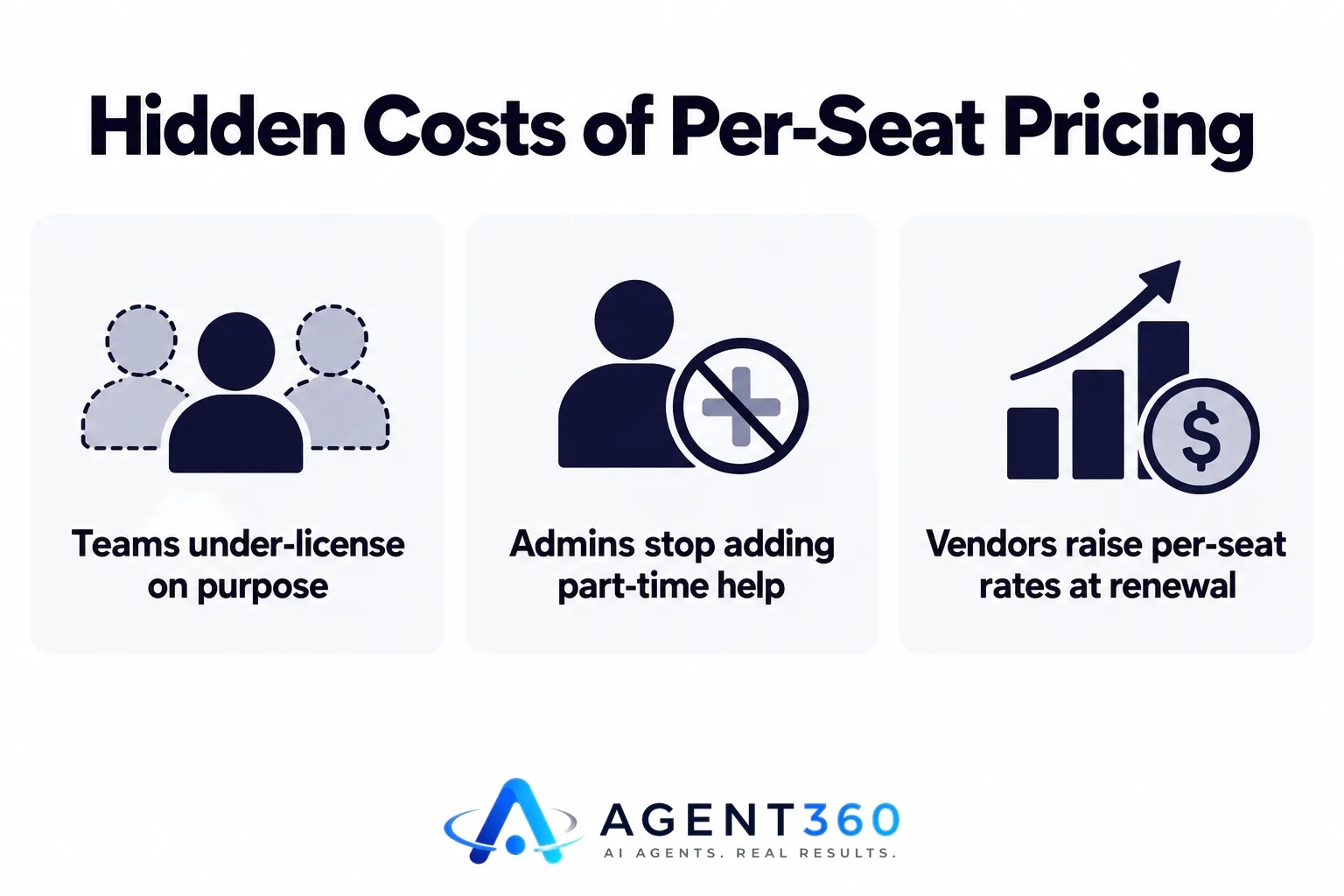
Three show up repeatedly. First, teams under-license on purpose, giving fewer people access than should have it, which creates bottlenecks when the one licensed user is out. Second, admins stop adding part-time help, interns, or recruiters to the CRM because each login has a cost attached. Third, vendors raise per-seat rates at renewal, and the increase multiplies by every seat on the account instead of applying once.
How do you compare per-seat and unlimited-seat costs fairly?
Model the cost at your headcount twelve months from now, not today. If a per-seat tool charges a flat rate per user per month, multiply that by the number of people you expect to need access, including anyone outside the core sales team. Compare that number against an unlimited-seats plan’s flat fee. For many growing teams, the unlimited plan wins by the second or third hire.
How do you evaluate unlimited-seat sales tools before buying?
Check usage limits, included data, and channel coverage before you sign, since “unlimited seats” is only one part of the cost picture. The steps below cover what to verify.
- Confirm what counts as a seat. Ask whether contractors, part-time recruiters, and managers who only view reports all count as full seats or something lighter.
- Check the usage caps. Find out how many leads, emails, or dialer minutes are included, and what happens when you go over.
- Test channel coverage. Confirm the platform actually supports the channels you plan to use — email, LinkedIn, and phone — rather than one channel with the others bolted on.
- Ask how CRM data moves. Check whether pipeline data stays inside the tool or syncs cleanly with whatever CRM your team already relies on.
- Run the renewal math. Ask directly whether the per-seat-equivalent price changes at renewal, since that’s where per-seat tools often make up the difference.
What questions should you ask a vendor directly?
Ask what’s included in the base price versus billed as usage, whether there’s a cap on active sequences or campaigns running at once, and whether adding a new teammate requires a sales call or just a few clicks. A vendor that hesitates on any of these is worth a second look.
What should a small sales team or staffing agency look for beyond seat pricing?
Look for tools that combine prospecting, outreach, and CRM in one place, since stitching together three separate per-seat tools usually costs more than one unlimited-seat platform. Founders running their own outbound and staffing agencies filling client-meeting pipelines both face the same problem: a small team doing work that used to require several dedicated hires.

Why does this matter more for staffing and recruiting agencies?
Recruiting agencies often need recruiters to help fill the new-client pipeline without becoming full-time business developers. If adding a recruiter to the outreach tool costs an extra seat fee every time, agencies either under-staff outreach or absorb a cost that scales with headcount they don’t control. Unlimited seats removes that friction.
Ready to Stop Counting Seats?
Agent360 runs on unlimited seats on every plan, with no per-user fees, so adding a recruiter, a part-time closer, or a contractor to the pipeline doesn’t trigger a new charge. The Agent360 Platform starts at $99/month and includes leads, an email and LinkedIn sequencer, a parallel dialer, and CRM tools in one place — one triple-verified lead comes included for every email sent. For teams that want outbound run end to end instead of managed in-house, the VIP Done-For-You option pairs a dedicated GTM engineer and strategist with your team for $2,000/month plus $250 per booked meeting, and you take the meetings.
Compare plans and see exactly what unlimited seats covers on the pricing page, or book a demo to see the platform running before you commit.
Frequently Asked Questions
Does unlimited seats mean unlimited leads?
Not automatically. Seats and leads are usually separate line items, so check the plan details for how many leads or contacts are included before assuming both are uncapped.
Is unlimited-seat software more expensive than per-seat software?
It depends on headcount. For a team of one or two, per-seat pricing can look cheaper upfront. Once a team adds a third, fourth, or fifth person, unlimited-seat pricing often becomes the better deal because the flat fee doesn’t change.
Can staffing agencies use the same outreach tool for recruiting and business development?
Many agencies do, since the contact management, sequencing, and CRM features overlap. The main requirement is a platform that supports the channels the team actually uses for client outreach, such as email, LinkedIn, and phone.
What should I check before switching from a per-seat tool?
Confirm how your existing contact and pipeline data exports, whether the new platform supports your current channels, and what the usage caps are on the new plan. A side-by-side cost comparison at your actual headcount matters more than the advertised starting price — see how different platforms stack up on the compare page.
Does adding more seats slow down a platform or cause setup issues?
That depends on the vendor's infrastructure, which isn't publicly documented by most providers. Ask directly how new users get provisioned and whether there's a delay or manual step involved before adding your whole team at once.
More articles
- MSP Lead Generation Services: What to Look For
- AI Dialer: What It Actually Does and What to Check First
- Cold Email and LinkedIn Sequencer: What to Look For
- Staffing Agency Lead Generation: A Practical Playbook
- AI SDR for Staffing Agencies: What to Look for Before You Buy
- Otter.ai Alternative: What Sales Teams Need Beyond Notes
- Fireflies Alternative: What Sales Teams Should Check First
- JustCall Alternative: What to Check Before You Switch
