Renting LinkedIn Accounts for Outreach: Worth the Risk?
Renting LinkedIn accounts means paying someone else to let you use their LinkedIn profile, or a profile they created, so you can send more connection requests and messages than your own account allows. It sounds like a shortcut to scale. It is also against LinkedIn's User Agreement, and it puts every message you send at risk of disappearing the moment the account gets flagged.
Founders running their own outbound and staffing firms chasing both candidates and client leads hit the same wall: one LinkedIn account caps how much outreach you can do in a week. Renting feels like the fast fix. It usually isn't.
Key Takeaways
- Renting or buying LinkedIn accounts violates LinkedIn's User Agreement, which requires one account per real identity.
- A rented account can be restricted without warning, taking your conversations and connections with it.
- Scaling outreach safely means adding more real seats and channels, not more borrowed identities — see safe sending limits by channel.
- Multi-channel outreach (LinkedIn plus email and phone) reduces how hard you lean on any one LinkedIn account.
- If an account gets flagged while renting, you have no recourse — it isn't yours to appeal.
Table of Contents
What does renting a LinkedIn account actually mean?
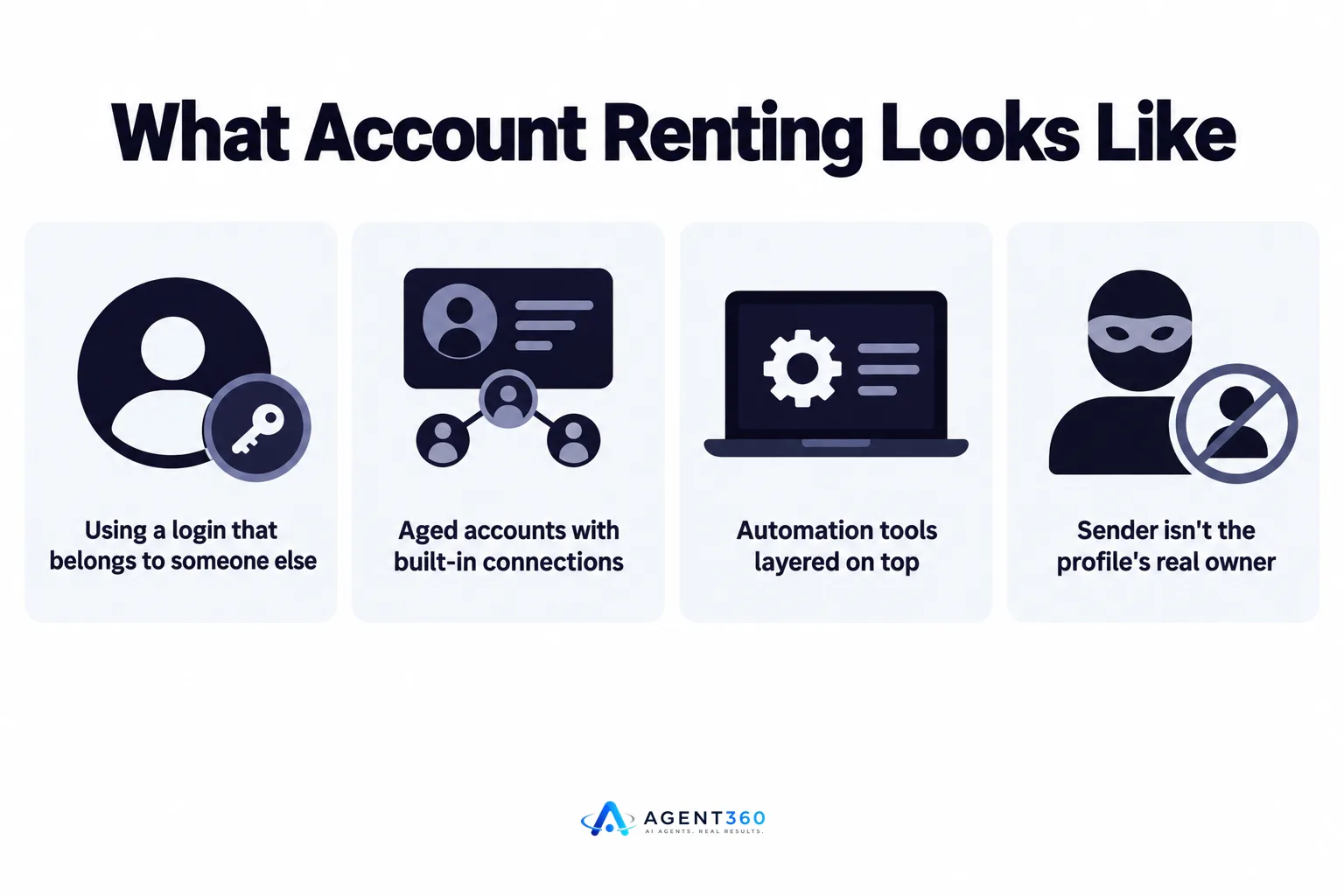
It means using a login that belongs to someone else, in exchange for payment, to run outreach that looks like it's coming from a different person. Some sellers offer aged accounts with built-in connections. Others let you log into an account they manage, often with automation tools layered on top. Either way, the person sending messages isn't the person whose name and photo appear on the profile.
Why do people search for this?
Usually because they've hit a wall on their own account — a weekly invitation limit, a temporary restriction, or a feeling that one profile can't carry the volume a growing pipeline needs. Renting looks like a way to multiply reach without hiring or buying more licenses.
Is renting LinkedIn accounts against LinkedIn's rules?
Yes. LinkedIn's User Agreement requires that members use their own identity and prohibits creating or transferring accounts for someone else's use. Renting, buying, or sharing logins falls squarely inside that prohibition, regardless of how the seller markets it.
What happens if LinkedIn detects it?
Detection patterns include new devices or locations logging into the same profile, message volume that jumps overnight, and automation signatures LinkedIn already watches for. The usual outcomes are a login challenge, a temporary restriction, or a permanent ban — and none of these come with a warning you can plan around.
What happens when a rented account gets restricted?
Every conversation tied to that account stops, and you have no standing to get it back. You weren't the account owner, so you can't appeal through LinkedIn support. Prospects mid-conversation go cold. Any CRM record tied to that LinkedIn thread loses its source. If the rented account was also used to message current or past candidates in a staffing context, that history is gone too.
Does this affect your own main account?
It can. If the rented account and your real one share a device, IP address, or payment method, LinkedIn's fraud detection can connect them. A restriction on the rented profile has, in practice, led to extra scrutiny on accounts linked to the same person or company — a risk worth weighing against whatever volume the rental promised. For more on how shared infrastructure causes this kind of spillover, see multiple LinkedIn accounts for outreach.
What should you do instead to scale outreach?
Add real, licensed seats and spread volume across channels instead of borrowing identities. The goal of renting — more reach without more risk — is achievable without breaking LinkedIn's terms.
- Check your current sending room. Review how close your real account is to safe weekly limits before assuming you need more volume at all.
- Add outreach channels, not accounts. Email and phone outreach can carry volume that LinkedIn alone can't, without touching LinkedIn's terms.
- License a real seat per team member. If more than one person needs to send outreach, give each their own account tied to their real identity.
- Pace sends to match platform norms. Gradual, human-paced sending patterns draw less scrutiny than bursts of activity.
- Track reply and restriction signals weekly. Catching a slowdown early lets you adjust before an account gets flagged.
Multi-channel sequencing also means a restriction on LinkedIn doesn't stop your pipeline — email and calls keep conversations moving. For a breakdown of what safe volume actually looks like per channel, see LinkedIn outreach limits, and for a wider look at automation risk generally, see is LinkedIn automation safe for B2B teams.
Ready to Scale Outreach Without the Account Risk?
We help founders and staffing firms book meetings without gambling on rented or borrowed LinkedIn logins. Agent360 combines AI prospecting with outreach across LinkedIn, email, and phone, so your pipeline doesn't depend on one account surviving the week.
Each seat runs under your own identity, with a human-backed process behind the automation — built to keep sending inside safe limits, not push past them.
See how multi-channel outreach fills a calendar without the restriction risk on our outreach product page.
Frequently Asked Questions
Can I legally rent a LinkedIn account?
LinkedIn's User Agreement prohibits creating, buying, selling, or transferring accounts for someone else's use, so renting one breaks platform terms even if no law explicitly bans the transaction. You accept that risk entirely on LinkedIn's terms, not a legal statute.
Is buying an aged LinkedIn account safer than renting one?
No. An aged account still wasn't created for you, and LinkedIn can detect ownership changes through login patterns, device fingerprints, and verification mismatches. The account's age doesn't protect it from restriction once that mismatch is flagged.
What's the difference between renting an account and using automation on my own account?
Renting uses someone else's identity, which directly violates LinkedIn's one-account-per-person rule. Automation on your own account carries its own risk if it sends too fast or too often, but the identity itself isn't in question — the sending pace is.
How many LinkedIn accounts does a small sales team actually need?
One real, licensed account per person doing outreach — never shared, never borrowed. If volume still feels capped, the fix is adding channels like email and phone rather than adding more LinkedIn identities.
Will a rented LinkedIn account hurt my company's reputation?
It can. A profile with a mismatched name history, sudden restriction, or inconsistent activity pattern is visible to the prospects who received messages from it, and a flagged account mid-conversation leaves those contacts with an unanswered thread tied to your company.
More articles
- Agent 360: Who It's For, What It Costs and How It Works
- What Is Agent360? Outbound, Meetings and CRM Explained
- Looking for an Aimfox Alternative? Check This First
- A Dripify Alternative That Adds Email, Calls and CRM
- The Best HeyReach Alternative for Full B2B Outbound
- Aimfox vs HeyReach: Which LinkedIn Tool Fits Your Outbound?
- Waalaxy vs Dripify: Which LinkedIn Tool Books More Meetings?
- Dripify vs Expandi: Which LinkedIn Tool Fits B2B Outbound?
