Is LinkedIn Automation Safe? What B2B Teams Should Know
LinkedIn automation is safe when it stays within LinkedIn's unwritten volume limits and acts the way a human would. It becomes unsafe when a tool sends messages too fast, runs from a brand-new or weak account, or ignores LinkedIn's connection and messaging caps. The tool itself matters less than how it's configured and how aggressively it's used.
Most account restrictions come from volume and pattern, not from the mere fact that automation is involved. A founder sending 15 thoughtful connection requests a day from an established account carries a different risk profile than a tool blasting 200 messages an hour from a week-old profile.
This matters for B2B teams because a restricted account doesn't just cost you a channel. It costs you the relationships, warm threads, and pipeline sitting inside that account.
Key Takeaways
- Volume and pace, not automation itself, are what get accounts restricted.
- New accounts and accounts with low connection counts carry the highest risk when automated heavily.
- Spreading outreach across LinkedIn, email, and phone reduces how hard any one channel has to work, as covered in LinkedIn outreach limits.
- Daily and weekly caps that mimic manual use are safer than tools that run at maximum speed around the clock.
- A warm-up period before scaling outreach protects new or recently reactivated accounts.
Table of Contents
What makes LinkedIn automation risky?
The risk comes from speed, volume, and account trust, not from automation as a category. LinkedIn watches for patterns that don't look human: identical message templates sent in bulk, connection requests fired off in rapid succession, or activity that spikes overnight on an account with little history. None of that requires automation to happen, but automation makes it easy to do by accident.

Does LinkedIn ban accounts just for using automation tools?
LinkedIn's user agreement prohibits third-party automation of certain actions, so any tool carries some policy risk regardless of how it's used. In practice, restrictions tend to follow volume and behavior that looks scripted, not the mere presence of a tool. Accounts that automate lightly and behave like a normal user rarely draw attention compared to accounts that automate at full throttle.
Why do new accounts get flagged faster?
A new or thin LinkedIn profile has no history to vouch for it. When that kind of account suddenly starts sending dozens of connection requests a day, it looks like exactly the kind of behavior LinkedIn's systems are built to catch. Older, well-connected accounts with normal posting and engagement history have more room to absorb outreach activity before anything looks unusual.
How much automation is too much?
There's no official published number, but the direction is clear: slower and smaller beats fast and large. LinkedIn doesn't publish exact daily caps for connection requests or messages, and any number quoted online should be treated as a rough guideline rather than a guarantee. What's consistent across guidance from outreach practitioners is that accounts running at a fraction of their theoretical maximum stay safer than accounts pushed to the edge every day.
Should outreach volume stay the same every week?
No. A steady, predictable rhythm is safer than a burst-then-pause pattern. Sending a similar, moderate number of connection requests and messages each weekday, with no activity on weekends, looks far more like normal professional use than a tool running continuously at top speed.
What's the difference between safe and unsafe automation setups?
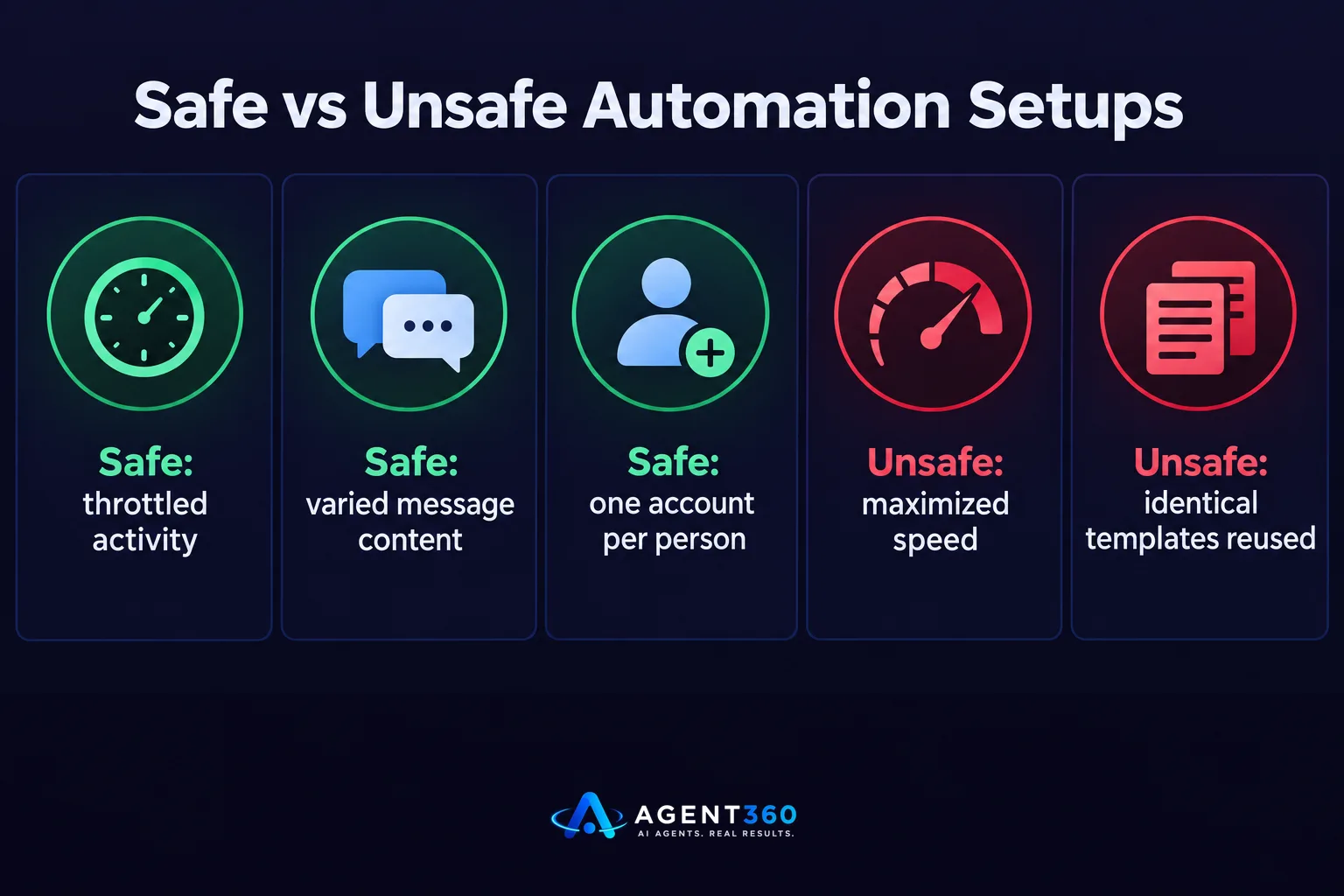
Safe setups throttle activity, vary message content, and run from one account per person; unsafe setups maximize speed and reuse identical templates at scale. The underlying mechanics of a tool matter less than its default configuration. A platform that lets you set conservative daily limits and space out actions throughout the day behaves very differently from one tuned to send as fast as technically possible.
Does using multiple LinkedIn accounts reduce the risk?
Running outreach from one account per salesperson, rather than one person managing several accounts, keeps activity looking like what it actually is. Multiple accounts tied to one person or one IP pattern can raise more flags than they solve, which is a tradeoff worth understanding before adding more seats. Over-automating LinkedIn covers what happens to reply rates when volume is pushed past what prospects, and the platform, will tolerate.
How can B2B teams reduce the risk and still book meetings?
Warm up accounts gradually, cap daily activity, and spread outreach across more than one channel. A LinkedIn-only strategy puts all of the risk and all of the reward on a single channel. Diversifying reduces how hard LinkedIn has to carry the load.
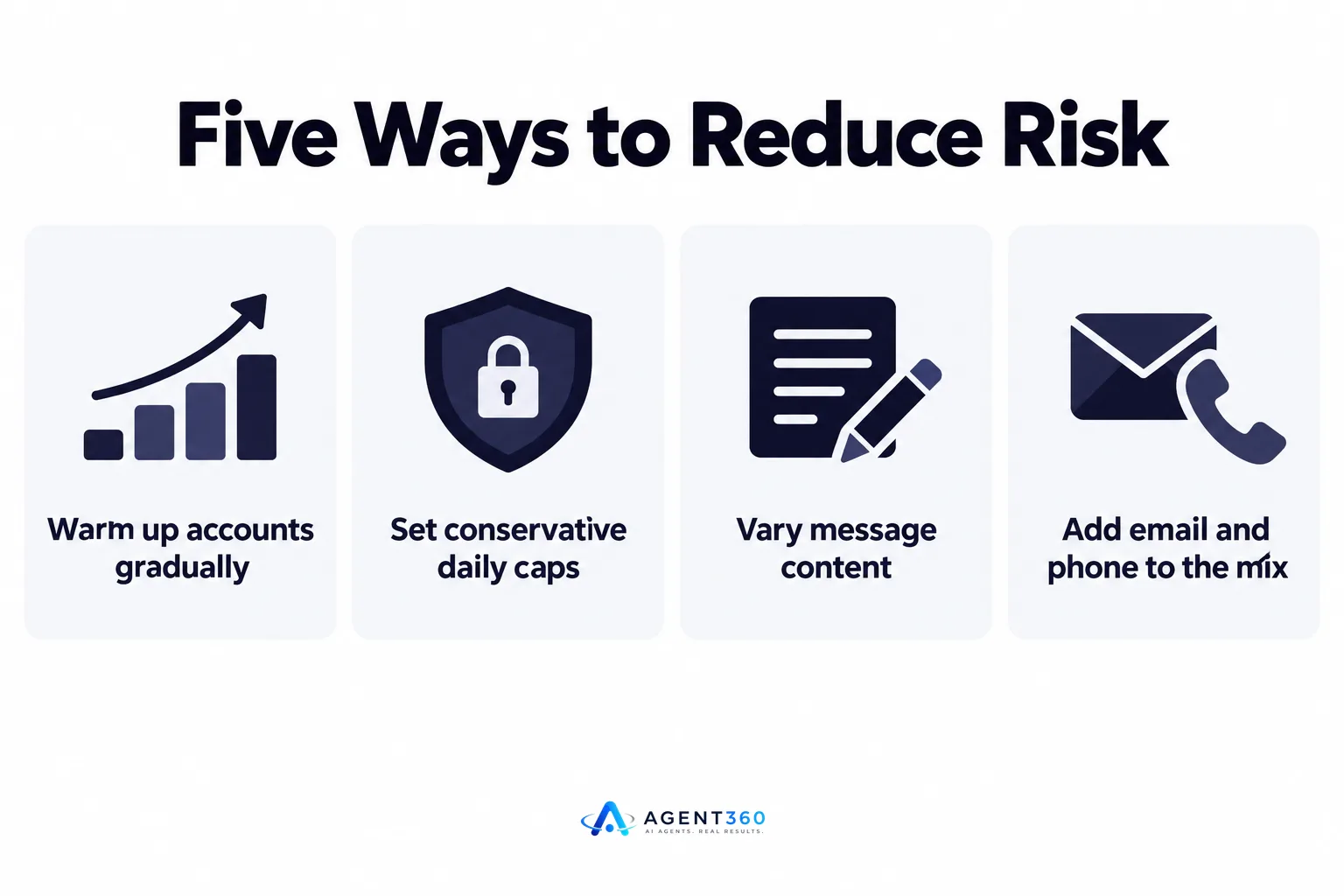
- Warm up new or dormant accounts first. Spend one to two weeks with normal, low-volume activity before ramping up outreach.
- Set conservative daily caps. Keep connection requests and messages well under what the tool allows at maximum, and hold that pace steady.
- Vary message content. Avoid sending the exact same template to every prospect in a single day.
- Add email and phone to the mix. Moving part of the outreach load off LinkedIn reduces the volume any one account needs to handle.
- Review account health regularly. Watch for warning messages, temporary restrictions, or unusual login prompts, and pause activity if they appear.
Keep Outreach Moving Without Risking the Account
Agent360 runs outreach across LinkedIn, email, and phone from a single system, so no one channel has to carry all the risk or all the volume. Our AI prospecting finds the right buyers and flags buying signals, our outreach engine paces activity across channels, and the CRM tools keep every reply organized so nothing sits unanswered while a human reviews it.
The combination of AI pacing and human oversight is built specifically to avoid the volume spikes that get accounts flagged, while still keeping meetings landing on the calendar.
See how the channel mix works on the outreach product page.
Frequently Asked Questions
Is LinkedIn automation against LinkedIn's terms of service?
LinkedIn's user agreement restricts certain automated actions by third-party tools, so there is inherent policy risk in using automation. Many B2B teams use it anyway, managing that risk through conservative volume and account warm-up rather than avoiding automation entirely.
What happens if LinkedIn restricts my account?
Restrictions range from temporary limits on connection requests to a full account review. The severity usually tracks how far outside normal behavior the account's activity looked, with sudden volume spikes drawing the harshest responses.
Can I automate LinkedIn safely without a large sales team?
Yes, by keeping daily volume low and steady rather than trying to match the output of a larger team. A founder running outbound solo benefits more from a sustainable pace than from maximum throughput.
Is it safer to automate email instead of LinkedIn?
Email has its own sending limits and spam-filter risks, so it isn't automatically safer, just different. Most B2B teams reduce overall risk by splitting volume across both channels instead of concentrating it in one.
How do I know if my LinkedIn automation volume is too high?
Warning signs include connection request limits, temporary messaging restrictions, or unusual verification prompts. If any of these appear, pausing activity and reducing volume before resuming is safer than continuing at the same pace.
More articles
- How to Export LinkedIn Post Likers for Warm Outbound Leads
- How to Turn Leads From LinkedIn Comments Into Meetings
- HeyReach vs Waalaxy: Which LinkedIn Tool Fits B2B Outbound?
- Multiple LinkedIn Accounts for Outreach: Help or Ban Risk?
- Scale LinkedIn Outreach Safely – Avoid Bans and Boost Meetings
- Over-Automating LinkedIn Kills Your Pipeline – Here's Proof
- How Fast to Reply to Sales Leads: The 48-Hour Rule
- AI Buying Signals Beat Job Boards for Warm Leads
