LinkedIn Outreach Limits: What They Are and How to Stay Under Them
LinkedIn outreach limits are the daily and weekly caps LinkedIn places on connection requests, messages, and profile views to stop spam-like behavior. They are not fixed numbers published anywhere. They shift based on your account's age, your connection count, your reply rate, and how new or risky your activity looks to LinkedIn's systems.
That uncertainty is the real problem. Teams copy a number they saw in a forum post, hit a wall anyway, and can't tell if it was the number, the pattern, or the account itself.
This article breaks down what actually drives restrictions, how to find a safe volume for your specific account, and what to do if you get flagged.
Key Takeaways
- LinkedIn does not publish a fixed daily number for connection requests or messages — treat any number you read online as a rough guide, not a rule.
- New accounts, accounts with few connections, and accounts with low reply rates get throttled faster than established ones.
- Spreading volume across connection requests, messages, and InMail lowers risk more than maxing out one action type.
- Spacing actions across the day and pausing on weekends reduces the pattern-based flags that trigger restrictions.
- Running LinkedIn outreach alongside email and phone outreach means one channel hitting a cap doesn't stall your whole pipeline.
Table of Contents
What Counts as a LinkedIn Outreach Limit?
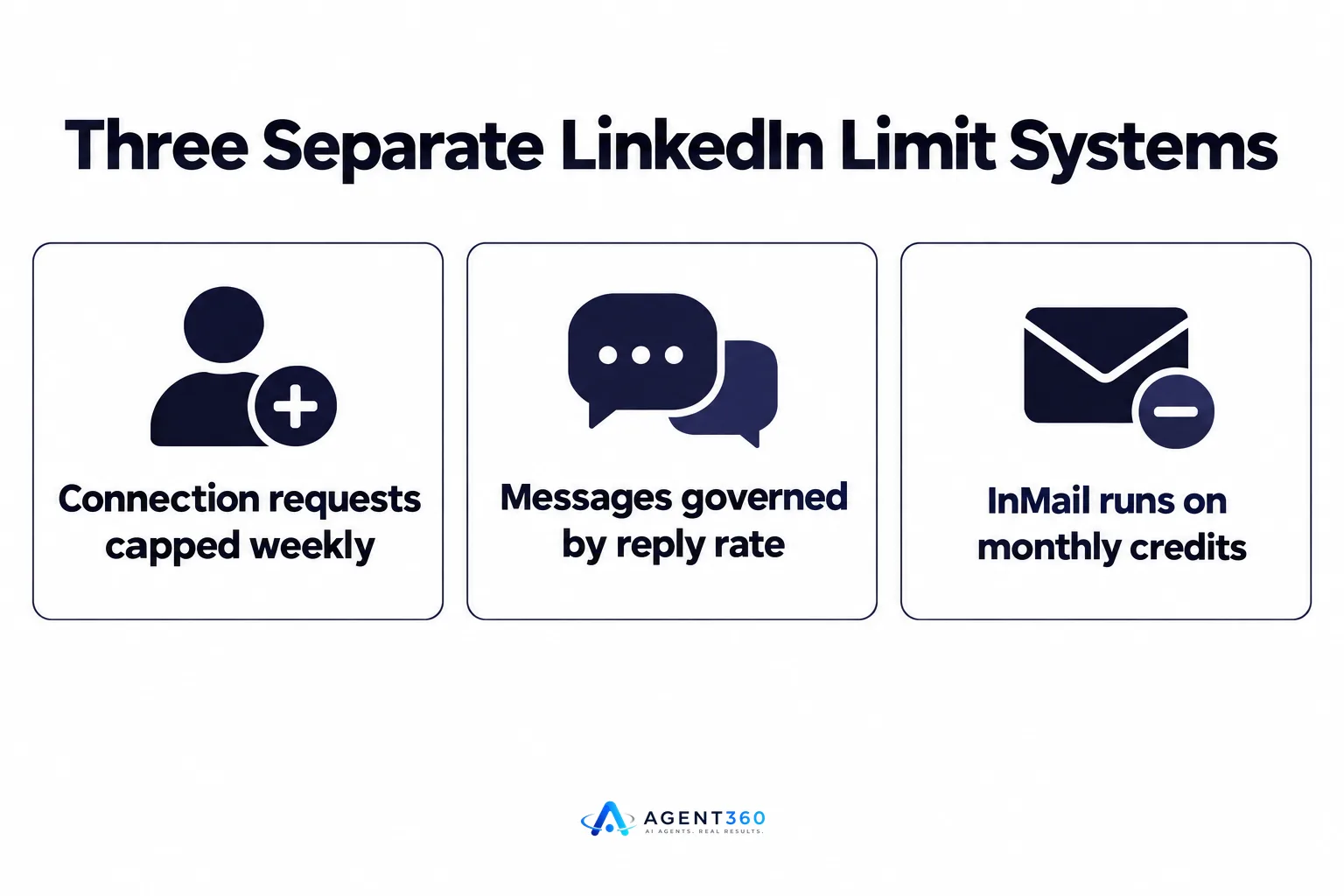
A LinkedIn outreach limit is any cap on connection requests, direct messages, InMail, or profile views that LinkedIn enforces to prevent spam-like behavior. These are separate systems, not one shared budget, and each behaves differently depending on your account type and history.
Do connection requests and messages share the same limit?
No. Connection requests are capped on a weekly basis and the cap tightens if too many people ignore or report your requests. Messages to existing connections are governed separately, mostly by reply rate and message frequency rather than a hard weekly count. InMail, available with Sales Navigator or Premium, runs on its own monthly credit system tied to your subscription tier.
Does LinkedIn publish exact numbers?
No. LinkedIn's help pages describe acceptable use and prohibited automation in its Professional Community Policies, but they do not state a fixed daily or weekly number for connection requests or messages. Any specific figure you see in a blog post or forum is an estimate from observed behavior, not an official rule, and it can change without notice.
Why Do LinkedIn Outreach Limits Exist?
LinkedIn enforces outreach limits to keep the platform usable and stop automated spam from overwhelming members. The system is built to detect patterns that look like scripted or bulk behavior, not just raw volume.
What triggers a restriction?
A few patterns show up repeatedly in how restrictions get triggered: identical message templates sent to dozens of people, connection requests sent at a constant, machine-like pace, a high percentage of requests going unanswered or getting reported, and a brand-new account suddenly sending high volume. Any one of these can trigger a temporary limit, even if you are nowhere near a volume ceiling.
How Do You Find a Safe Outreach Volume for Your Account?
You find a safe volume by starting low, watching your acceptance and reply rates, and increasing slowly as your account builds history. There is no universal number that works for every account, so the process matters more than the target.
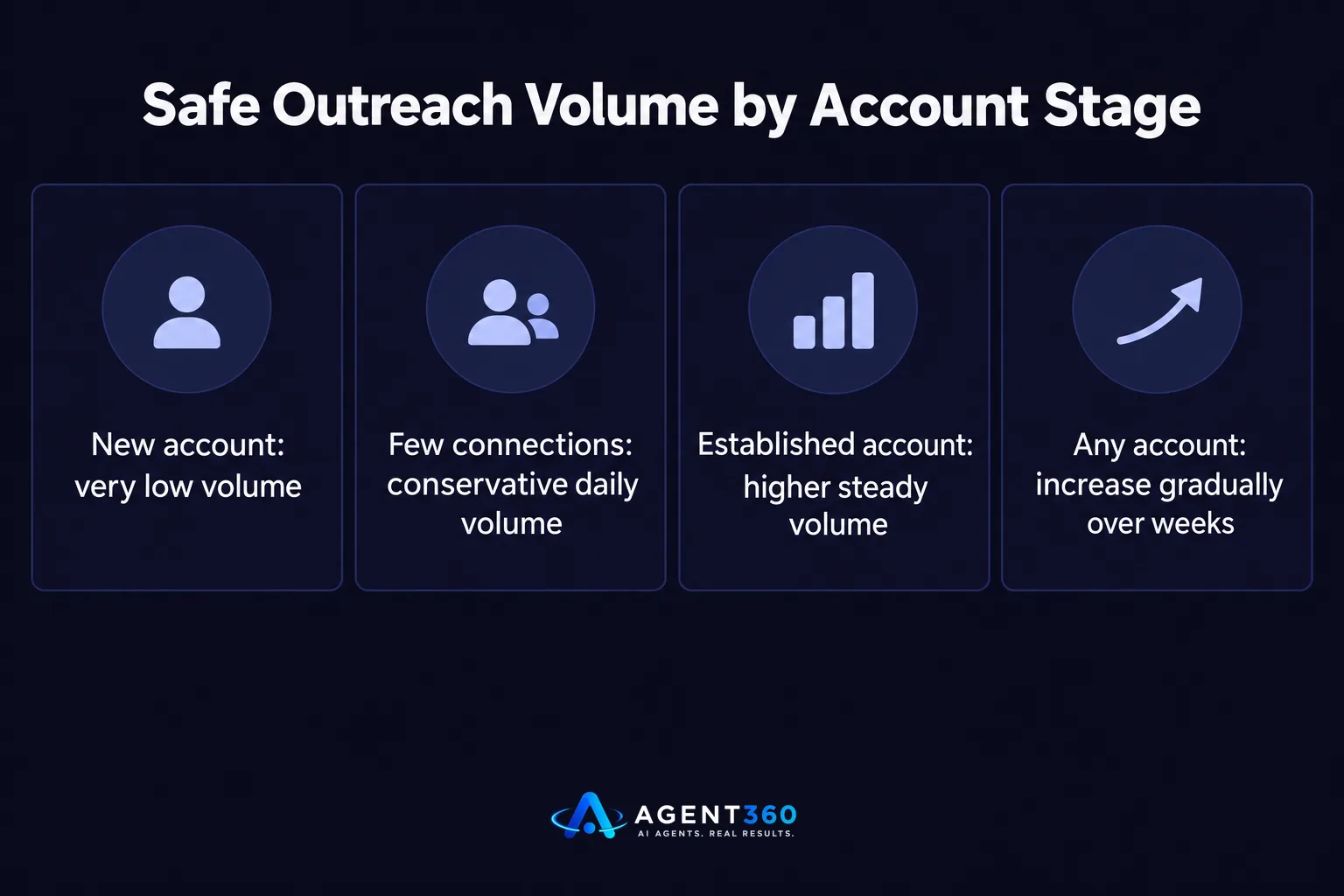
- Check your account age and connection count first. A account under a few months old or with a small network should send far less volume than an established profile with thousands of connections.
- Start at a conservative daily volume. Run a low, steady number of connection requests and messages for the first two weeks rather than testing a ceiling.
- Track acceptance and reply rates weekly. A dropping acceptance rate is an earlier warning sign than an outright restriction.
- Vary your message templates. Personalizing even a few words per message reduces the identical-pattern signal that triggers automated detection.
- Spread activity across the day and across channels. Pairing LinkedIn with email and phone touches keeps pressure off any single channel.
- Increase gradually, not all at once. Raise volume in small steps over weeks, not in a single jump after a good week.
What Happens If You Hit a Limit?
Hitting a limit usually means a temporary restriction on sending new connection requests or messages, not a permanent ban. LinkedIn typically restores full activity after a cooldown period, though the length isn't published and can vary.
Can a restricted account recover?
Most accounts recover by pausing outreach entirely for a stretch, then resuming at a much lower volume than before the restriction. Resuming at the same pace that caused the flag often triggers a second, longer restriction. This is one reason running outreach across multiple accounts without a clear plan for pacing each one is risky — see what to check before using multiple LinkedIn accounts for outreach.
Take the Next Step With Multi-Channel Outreach That Doesn't Depend on One Platform
LinkedIn limits are real, but they shouldn't decide whether your pipeline fills. Agent360 runs multi-channel outreach across LinkedIn, email, and phone, so prospects who hit a quiet patch on one channel still get reached on another. AI prospecting finds the buyers and surfaces buying signals, outreach runs across channels, meetings land directly on your calendar, and CRM tools keep the whole pipeline visible in one place.
If LinkedIn volume caps are the only thing slowing your outbound, spreading that load across channels is the faster fix. See how it works to find out what a multi-channel setup looks like for your team.
Frequently Asked Questions
What is a safe number of LinkedIn connection requests per day?
There is no official fixed number. Safe volume depends on your account's age, connection count, and reply rate, so a brand-new account should send far fewer requests per day than an established one with years of history and thousands of connections.
Does Sales Navigator have different outreach limits than a free account?
Sales Navigator changes how InMail credits and search work, but it does not remove the behavioral monitoring that governs connection requests and messages. A Sales Navigator account sending spam-like patterns can still get restricted.
How long does a LinkedIn restriction usually last?
LinkedIn does not publish a fixed restriction length, and it varies by account and severity. Most temporary restrictions lift after a period of reduced or paused activity, after which resuming at a lower volume than before is the safer path.
Can LinkedIn automation tools get my account banned?
Tools that mimic manual, paced, varied activity carry lower risk than ones that blast identical messages at a constant rate. Read more on whether LinkedIn automation is safe for B2B teams before choosing a tool.
Should I rely only on LinkedIn for outbound if it has limits?
Relying on one channel means a limit or restriction stalls your entire pipeline. Pairing LinkedIn with email and phone outreach, as covered in how to choose LinkedIn automation tools, keeps meetings booking even when one channel slows down.
More articles
- Instantly vs Smartlead: Which Cold Email Tool Wins?
- Cold Email Software Comparison: What Actually Matters
- Agent 360: Who It's For, What It Costs and How It Works
- What Is Agent360? Outbound, Meetings and CRM Explained
- Renting LinkedIn Accounts for Outreach: Worth the Risk?
- Looking for an Aimfox Alternative? Check This First
- A Dripify Alternative That Adds Email, Calls and CRM
- The Best HeyReach Alternative for Full B2B Outbound
