The Honest Guide to AI Video Generators for Social Media
Forget the demo reel. The best AI video generator for social media is the one that matches the shape, length and volume your calendar actually needs. Most people searching for this are really asking a workflow question in disguise: how do I turn ideas into finished, postable video without hiring an editor. That question has a specific answer, and it isn't a single tool name.
A video generator that makes a gorgeous 30-second cinematic clip is useless if you need six vertical Reels a week. A tool that nails YouTube format does nothing for LinkedIn, where short square or 4:5 videos outperform landscape almost every time. Pick the tool to fit the output, not the other way around.
Match the generator to the shape you need, not the demo reel
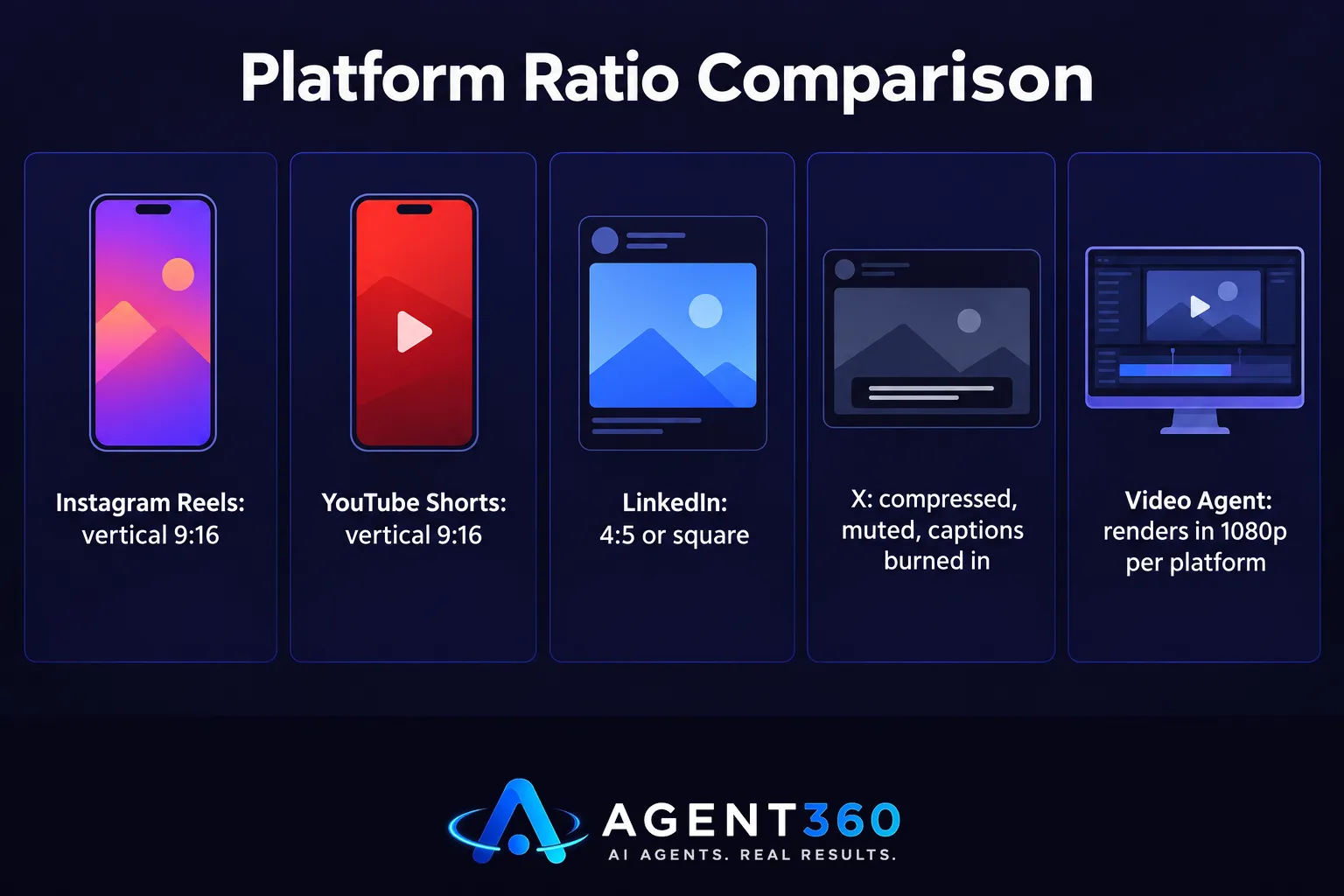
Before you compare tools, answer three questions. What aspect ratio does each platform actually reward? How long should the clip run? And how many of these do you need per month? Instagram Reels and YouTube Shorts want vertical 9:16. LinkedIn video performs better at 4:5 or square than full landscape. X compresses everything down regardless, so the video has to work muted with captions burned in.
A generator that only outputs one fixed ratio forces you to crop after the fact, and that usually means your subject gets cut off or your captions run off-screen. Look for tools that render natively in more than one shape, or that at minimum let you re-crop without re-rendering the whole clip.
How to generate AI videos for social media
The pipeline is basically the same no matter which tool you pick: a script or prompt goes in, the tool picks or generates scenes, it adds motion and timing, then it renders at a fixed resolution and ratio. The steps that separate a usable clip from a wasted render are the ones most people skip.
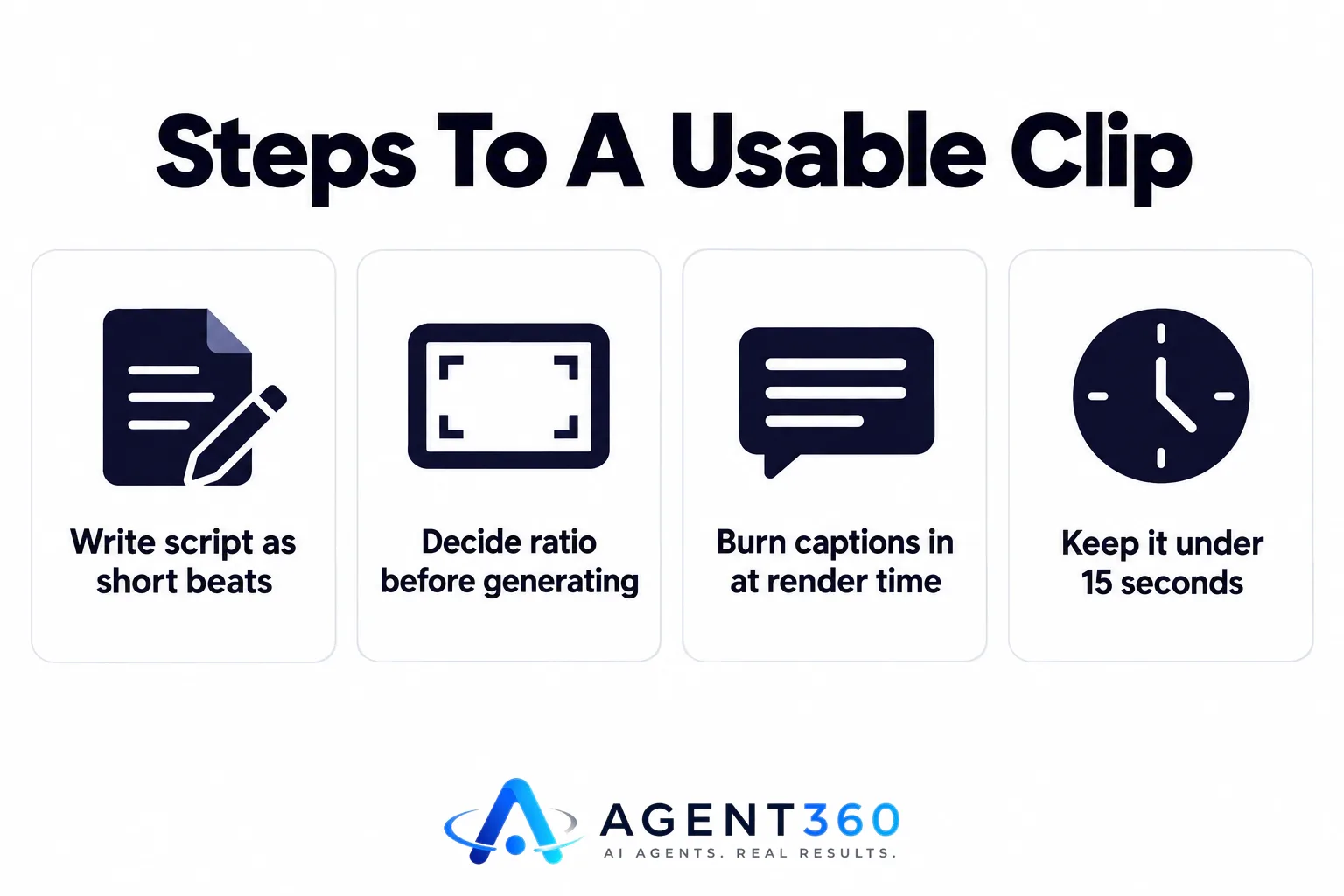
- Write the script as short beats, not a paragraph — most generators work from scene-by-scene prompts, and a single dense block of text produces muddled pacing.
- Decide the ratio before you generate, not after. Re-cropping a landscape render into vertical usually cuts off the subject's head or the on-screen text.
- Burn captions in at render time. Auto-play with sound off is the default on every feed that matters, so a video without open captions loses most of its audience in the first two seconds.
- Keep it under 15 seconds for a feed clip. Longer works for YouTube, but Reels, Shorts and LinkedIn video reward a fast opening frame over production value.
Same logic as turning one long recording into several short ones. A single webinar or talk holds enough material for a month of clips if it's cut with intent — which is the whole premise behind getting a month of clips out of one video instead of generating each one from scratch.
Free tools cap out before your calendar does
There's no stable, fully free AI video generator that holds up at posting volume. That's not a knock on any one product — it's how the economics work. Rendering video costs real compute per second generated, so free tiers exist to get you onto a paid plan, not to run your content calendar indefinitely. The pattern repeats across almost every tool in this category: a handful of free renders per month, a visible watermark, a resolution cap below 1080p, or a hard limit on clip length.
If your plan gives you fewer renders a month than you need posts, you'll run out mid-month, every month, and end up re-editing old clips to fill the gap. Before you commit to a “free” tool, check the monthly render cap and the watermark policy specifically — those two limits are what actually decide whether it survives a real posting schedule.
ChatGPT writes the script, not the video
ChatGPT itself doesn't generate video — it's a text and image model. What it does well here is write the script, the scene beats and the caption that goes under the finished clip. Turning that script into a rendered, captioned video still takes a separate generation step, whether that's a dedicated video tool or a service built to carry a script all the way through to a finished, platform-sized file.

This is the gap that trips most people up: a chat tool can draft something clever in thirty seconds, but it has no idea what your LinkedIn video looked like last month, no brand colours to stay inside, and no way to actually publish anywhere. The difference between a chat assistant and a tool built for the full job is laid out in more detail in this comparison of AI chat tools versus a system built to carry the work through to a published post.
Where this fits inside a real posting calendar
BrandAgent's Video Agent takes a draft post and turns it into a short video using six scene templates, rendered in 1080p and cut to each platform's shape — vertical for Reels and Shorts, 4:5 for LinkedIn — so the ratio question is already settled before you ever see the draft. It sits inside the same Agent360 app as the Writer and Scheduler agents, so the video, its caption and its publish time come out of one workflow instead of three separate tools. Plans start at $97 a month with no contract; the full breakdown of what's included at each tier is on the pricing page.
Questions worth asking before you pick a tool
What is the best AI video generator for social media?
There isn't one best tool across every use case. The right choice depends on the platform ratio you need, how many videos you need per month, and whether the video has to come tied to a caption and a publish schedule or just exist as a standalone file.
How do I generate AI videos for social media?
Write the script as short scene beats, pick the platform ratio before generating, render with captions burned in, and keep feed clips under 15 seconds so the opening frame does the work of stopping the scroll.
Is there a 100% free AI video generator?
Free tiers exist on most tools but come with real limits — a small number of renders per month, a visible watermark, or a resolution cap — so they're fine for occasional use but rarely hold up against a weekly or daily posting schedule.
Can ChatGPT make AI video?
Not directly. ChatGPT is a text and image model, so it's strongest for writing the script, the scene beats and the caption. Turning that into a rendered, captioned video still needs a separate video-generation step.
More articles
- How Often to Post on LinkedIn: The Rules That Actually Matter
- Social Media Content for Small Business: The Rules That Work
- Brand Voice AI: What It Means and What It Can’t Fake
- What an AI Short Video Maker Needs to Actually Work
- LinkedIn Ghostwriting: What It Really Costs and How It Works
- An AI Content Calendar Only Works With Rules Behind It
- Social Media Scheduling Tools Won't Fix Your Empty Calendar
- The AI LinkedIn Post Generator That Doesn't Sound Like AI
