What an AI Short Video Maker Needs to Actually Work
Rendering a video isn't the hard part anymore. A dozen tools can turn text into a moving clip in under a minute. What an AI short video maker actually needs to solve is whether anyone watches past the first second — and that comes down to four decisions most tools never make for you: the hook, the shape, the captions, and what happens to the other forty seconds of footage you didn't use.
Judge a tool on those four things. Not on how fast it renders.
The first second decides if there's a second one
A logo intro, a fade-in, a title card — any of these before the actual content costs you the viewer. Feeds autoplay muted and silent, so the decision to keep watching happens before the audio even matters. If your AI short video maker defaults to an intro template, turn it off. The first frame should be the claim or the image, not the brand.
This is also where most AI-generated video fails even when the rendering is clean: it opens exactly like every other AI-generated video, with the same stock-footage pacing and the same three-second company card. A tool that starts from your actual Brand Kit colours and logo placement — rather than a generic template — at least avoids announcing itself as filler before the content starts. That's one reason how the Video Agent builds a short video starts from the post itself, not a blank template: the hook comes from what you already said, not a stock opening.
Vertical is the default, not a format option
Square and landscape video shot for one platform and stretched to fit another is a visible compromise — black bars, cropped faces, text running off the edge. A short video maker worth using cuts natively to the shape each platform expects: vertical 9:16 for Reels, Shorts and TikTok, and 4:5 for LinkedIn's feed, not one master file resized everywhere. The difference shows up immediately in how much of the frame gets wasted on padding.
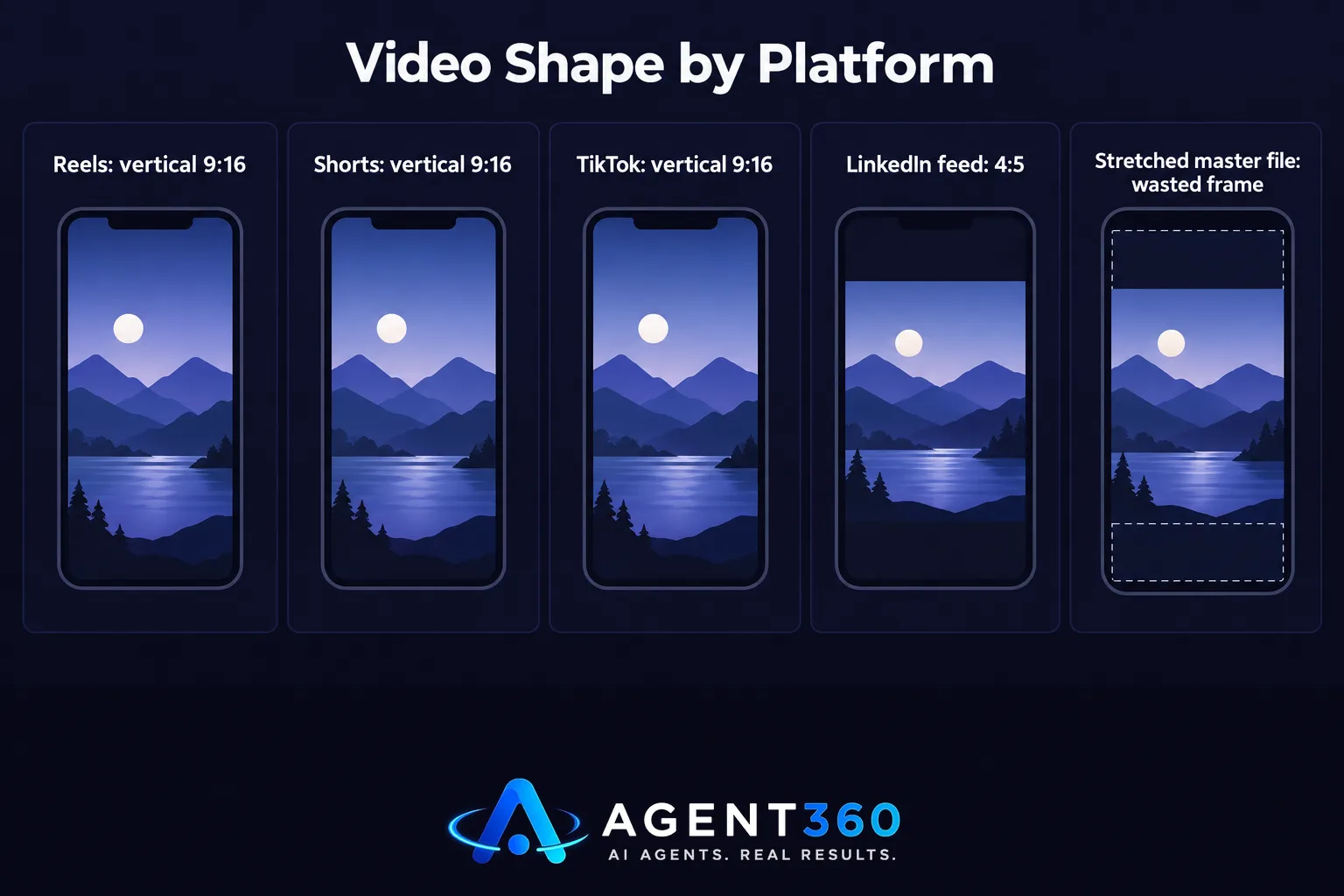
This matters more on YouTube than people expect. A video that doesn't meet the vertical, under-three-minute shape won't get tagged as a Short at all, which quietly removes it from the surface where most short-video discovery happens.
Captions need to be burned in, not bolted on
Most short-video views happen with the sound off — on a train, in a meeting, scrolling at a desk with headphones out. A video with no on-screen text loses that entire audience in the first two seconds, no matter how good the hook is. Platform auto-captions help, but they're generated after upload, often lag the audio, and vanish if the viewer is on a platform that doesn't support them.
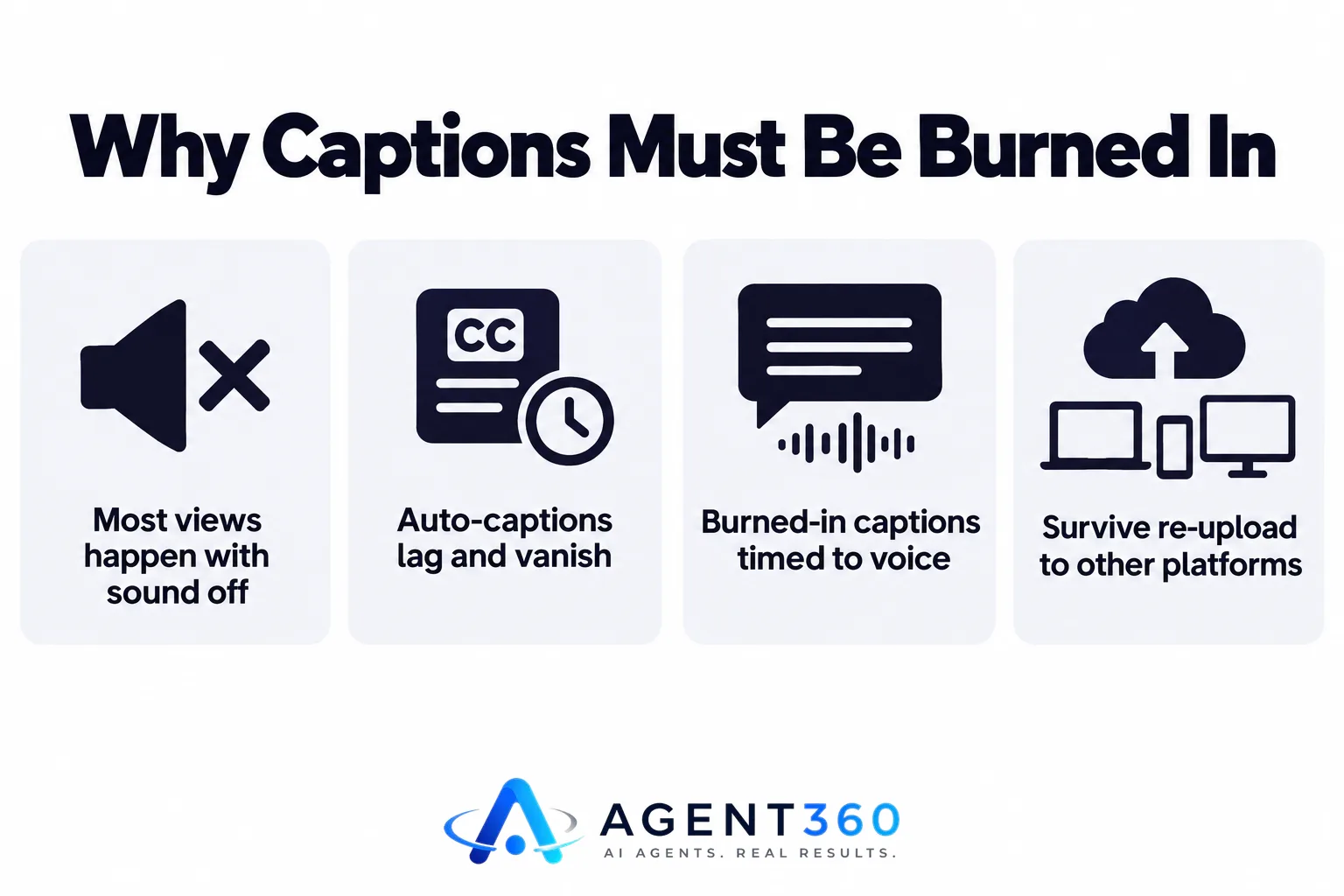
Burned-in captions — rendered into the video itself, timed to the voice, styled in your brand's font — solve that for good. They don't depend on a setting the viewer has to switch on, and they survive being downloaded and re-uploaded to a platform your original captions never reached.
One recording should produce six videos, not one
The expensive part of short video isn't the editing software. It's the sourcing — writing a hook, framing a shot, finding something worth saying. A single webinar, podcast appearance or recorded talk usually contains eight to ten moments that stand alone as a clip: a sharp answer, a disagreement, a number that surprises people. Treat that recording as raw material for just one video, and you waste the other nine.
A proper repurposing workflow pulls multiple vertical clips from one long recording, captions each one, and drafts a post to go with it, instead of making you re-record a new short video every time you need content. A single 45-minute recording holds more posts than most teams publish in a month; the bottleneck is almost never footage, it's the cutting.
Where BrandAgent fits
BrandAgent's Video Agent turns a post into a short video using six scene templates, rendered in 1080p and cut to each platform's shape automatically — vertical for Reels and Shorts, 4:5 for LinkedIn — and its Clip Agent does the same from an uploaded webinar or interview, captioning each clip and drafting the post to go with it. Every plan starts at $97 a month with no contract, and you approve each video before it publishes; see what's included on the pricing page. If you've only used a chat tool to write a script and a separate app to cut the video, it's worth seeing how that compares to one system that writes, renders and schedules in sequence.
Common questions
Can an AI short video maker use my own face and voice?
Some can. Tools built for talking-head video let you train a video twin from a short recording of yourself, or clone your voice from a sample, so the output sounds and looks like you rather than a generic presenter. If that matters to your brand, check for it specifically — plenty of short-video tools only offer stock avatars.
How long should an AI-made short video be?
Match the platform, not a rule of thumb. TikTok and Reels reward videos under 30 seconds that get to the point immediately; LinkedIn's native video tolerates a slightly longer, more explanatory pace because the audience is scrolling slower. A tool that renders one length for every platform is optimising for its own simplicity, not your results.
Do I need separate software for the video and the caption?
No, and you shouldn't want to. Writing the caption separately from the video means it's rarely tied to what's actually in the clip. A workflow that drafts the caption from the same source as the video keeps the two in sync, and skips the step of writing everything twice.
More articles
- How Often to Post on LinkedIn: The Rules That Actually Matter
- Social Media Content for Small Business: The Rules That Work
- Brand Voice AI: What It Means and What It Can’t Fake
- The Honest Guide to AI Video Generators for Social Media
- LinkedIn Ghostwriting: What It Really Costs and How It Works
- An AI Content Calendar Only Works With Rules Behind It
- Social Media Scheduling Tools Won't Fix Your Empty Calendar
- The AI LinkedIn Post Generator That Doesn't Sound Like AI
