How to Get Found on Google Maps, Not Just Listed
Showing up on Google Maps means landing in the local pack — the three businesses Google puts above the fold — when someone searches a service, not your name. A listing isn't the same thing. Plenty of owners fill out every field on their Google Business Profile and still never show up, because a listing is just a record sitting in Google's database. Ranking is a fight against every other business with the same record.
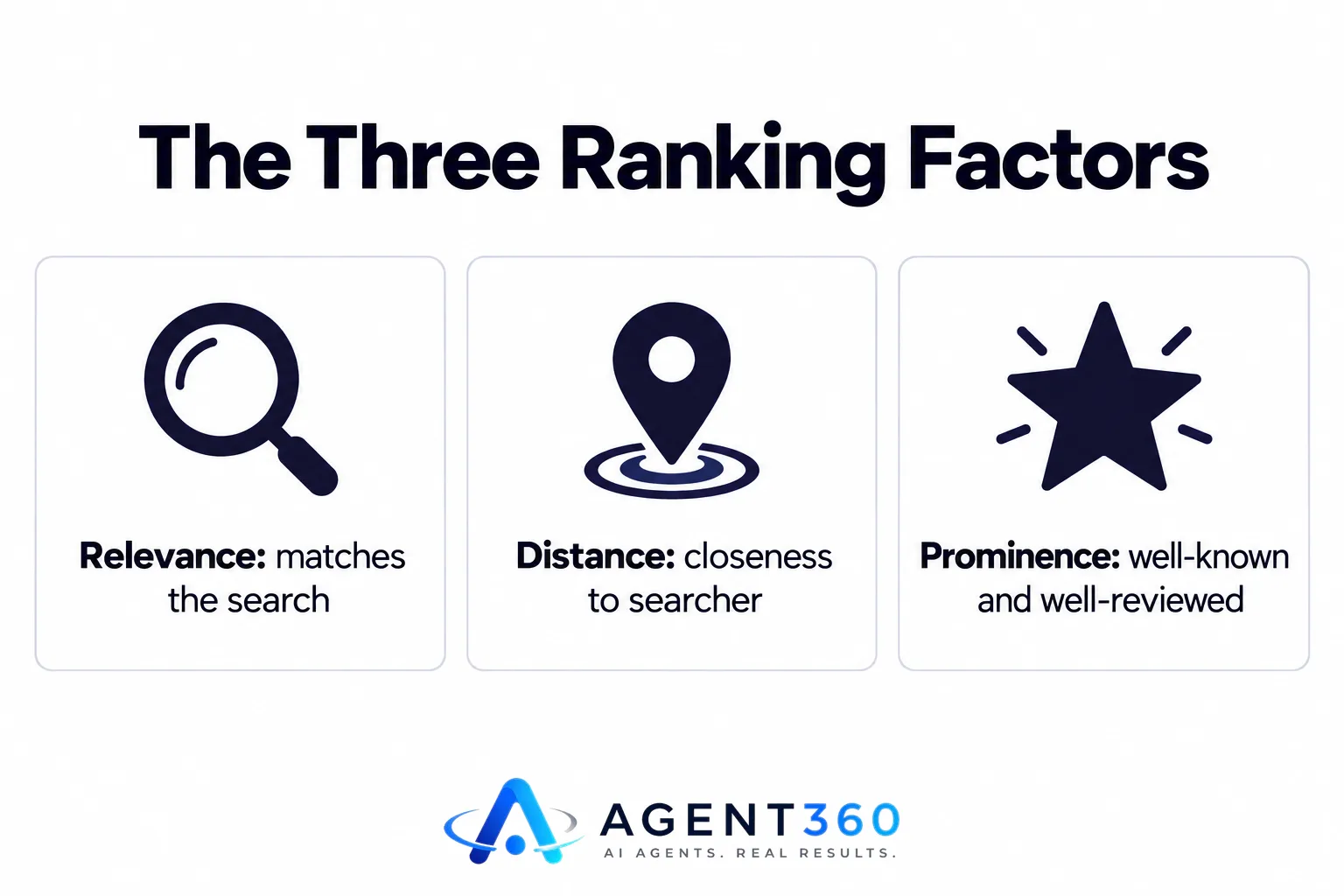
Google has said for years it ranks Maps results on three things: relevance, distance and prominence. Relevance is whether your profile matches the search. Distance is how close you are to the person searching, or to the area they typed. Prominence is how well-known and well-reviewed you are, on Google and off it. Fix whichever of the three is weakest. Polishing the one that's already fine won't move you.
A listing is not the same as a ranking
Typing your own business name into Google and finding yourself proves nothing. The test that counts is typing what a stranger would type — “plumber [your town]”, “emergency electrician near me”, “best taco place open now” — and seeing whether you show up without your brand name doing the work for you. Plenty of businesses nail the name search and disappear the moment it's generic. That's the search that actually brings in customers. The gap is almost always relevance: a primary category that's too broad or slightly wrong, a business description that never mentions the services people search for, or service attributes you never bothered tagging.
Start with the primary category. “Plumber” and “Emergency plumber service” rank for different searches — pick the one that matches what you most want to be found for, then add every relevant secondary category Google gives you. Of everything on this list, this single fix moves the most businesses. It costs ten minutes, nothing else.
Reviews outrank your optimization
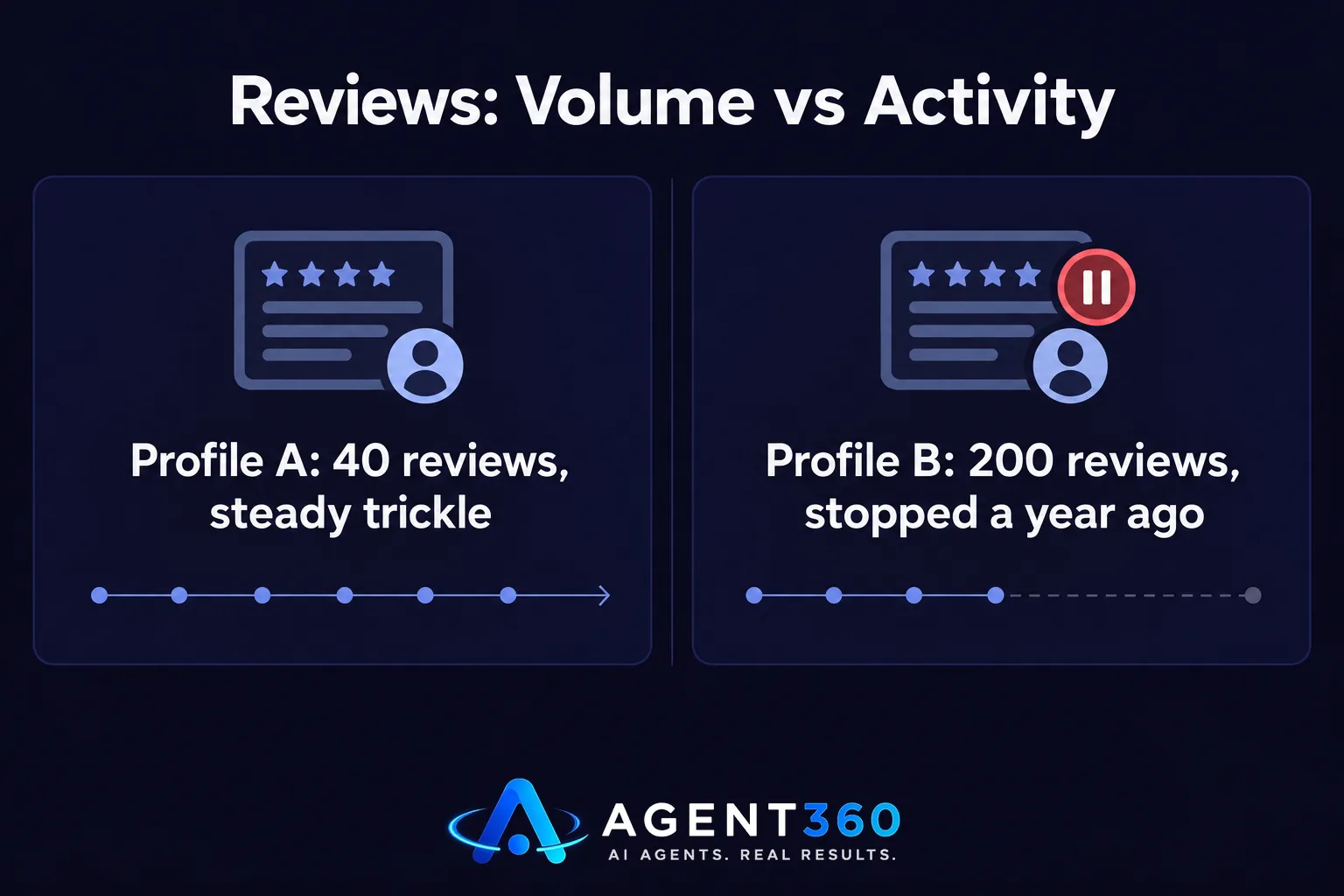
Prominence carries more weight than most owners think, and reviews are the fastest lever inside it. It's not just the star rating. Volume, recency and whether you reply all count. A profile with 40 reviews and a steady trickle of new ones will usually beat one with 200 reviews that stopped a year ago. Google reads an active review stream as a business that's still open and still serving people. A stalled one reads as dormant — even if you're busier than you've ever been.
Reply to every review, good and bad, within a couple of days. Replies are public text Google can match against new search queries, so a pattern of fast, specific replies — naming the service, not just “thanks!” — does double duty: it feeds prominence and reinforces relevance. If your review volume has stalled, don't chase a one-time burst. Build the habit of asking at the moment the job finishes, every time, so the flow never dries up again. Timing a review request matters more than how politely you word it.
New listings take weeks to rank, not days
A brand-new or freshly verified profile won't show up where it will eventually land. Google holds back on ranking anything with no history — no reviews, no photos added over time, no sign of real activity — because it has nothing yet to judge prominence against. That's why a competitor who opened last month seems to “come from nowhere” in the map pack a few months later. They weren't ranking on day one either. They built the signal, steadily, until they were.
If you just opened or just claimed your profile, expect a quiet stretch before anything moves. Use it well: add real photos weekly, post updates through the profile's posting feature, and get your first reviews in as soon as jobs finish. A profile that shows activity in its first 90 days ranks faster than one left untouched after setup.
Distance from the searcher still decides a lot
Two identical profiles will rank differently depending on where the person searching is standing, or which neighborhood they typed. That's why you can rank first on one side of town and not appear at all a few miles away. It isn't a bug — it's the distance factor doing exactly what it's built to do. If your service area is wider than your physical address suggests, say so in the profile's service area settings, and make sure your website names the specific neighborhoods and towns you cover, not just the city you're in. Google checks your site against your profile before deciding how far your relevance should reach.
What it costs to get listed is zero; what it costs to rank is the real question
Claiming and verifying a Google Business Profile costs nothing, and it always will. Anyone charging you just to set one up is charging for ten minutes of work. The real cost is what comes after: category and attribute upkeep, weekly photos and posts, review requests that don't stop after month one, and website content that matches the searches you actually want. None of that is a one-time fee — it's a habit. That's exactly why the profiles that rank well have someone, in-house or outside, treating it as a weekly job instead of a setup task.
If you'd rather this ran itself
Booked's Get Found service handles local SEO, Google Business Profile upkeep, and the review and posting cadence that keeps a profile climbing — along with the AEO and GEO work that gets a business named in AI answers too. It's included from the Starter plan on pricing, no setup fee for building or fixing the profile itself.

How much does it cost to get listed on Google Maps?
Nothing. Creating and verifying a Google Business Profile is free, straight through Google. Costs only show up if you pay someone for the ongoing optimization — categories, posts, reviews, matching your website content — and that's a service fee, not a listing fee.
Why don't I show up for searches that aren't my business name?
That's almost always a relevance or distance problem, not a visibility bug. Check that your primary category matches the exact service people search for, confirm your service area actually covers where those searchers are, and make sure your website names the specific services and areas you want to rank for. Google checks your site against your profile before deciding how broadly to show you.
How long does it take for a new Google Business Profile to rank?
Google doesn't publish a fixed timeline, but new profiles get held back until they build history — reviews, photos, consistent activity over weeks, not days. One that shows steady activity in its first few months usually starts ranking faster than one left untouched after verification. If you want the specific levers, what actually moves Google Business rankings covers it, and local SEO work more broadly shows where this fits.
More articles
- Website For Small Business: Builder, Cost, Or Done-For-You
- Google Ads for Local Business: What a Real Budget Looks Like
- How to Get More Google Reviews: Timing Beats Begging
- Missed Call Text Back: What To Send And Why It Works
- AI Receptionist for Small Business: What It Costs and Does
- Fitness Studio Marketing: Why the 3-3-3 Rule Falls Short
- Real Estate Agent Marketing: What Actually Gets You Clients
- Marketing for Auto Repair Shops That Keeps Bays Full
